
Check
Page
SEO
Advanced On-Page SEO Audits
Powerful SEO Chrome Extension
Use Check Page SEO + AEO to scan any webpage for meta tags, heading structure, semantic keyword gaps, schema, local SEO data, and competitor differences, without ever leaving the tab. Get clear, page-level recommendations instantly.
Your freemium toolkit for smarter SEO
Download from Chrome Store
Check Page SEO – Tool Overview
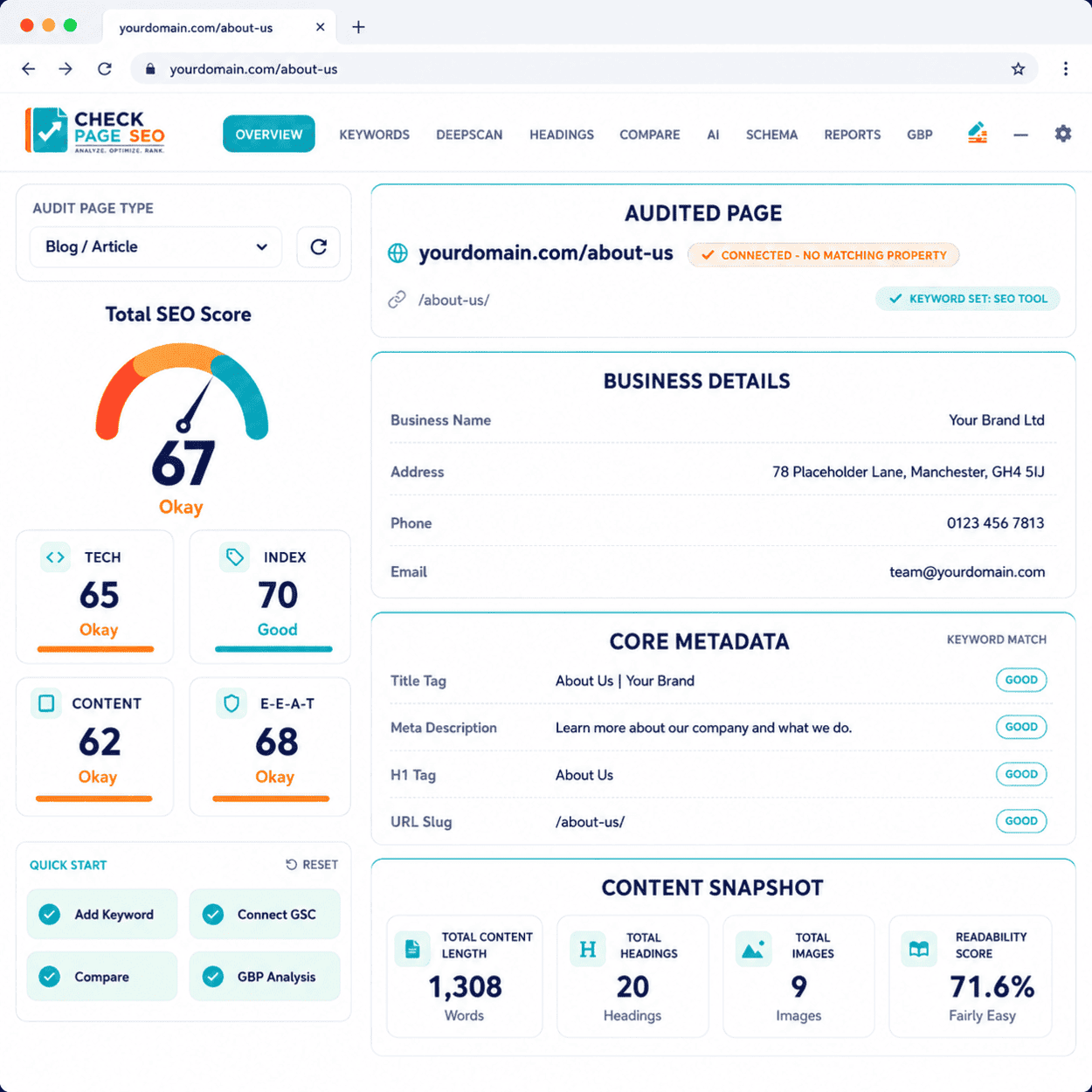
Faster On-Page Decisions with Check Page SEO
Check Page SEO empowers you to review the exact page in front of you and instantly understand what needs improvement.
Whether you are auditing an existing page, checking content before publishing, tearing down competitor strategies, or preparing client reports, this extension consolidates critical on-page checks into a single, seamless workflow. Move from raw data to targeted action faster than ever.
For SEO Professionals:
- SEO Freelancers & Consultants
- Agency Owners
- Local SEO Specialists
- Content Teams & Writers
- Website Owners
- Web Developers
Video Demos

Keyword Focus
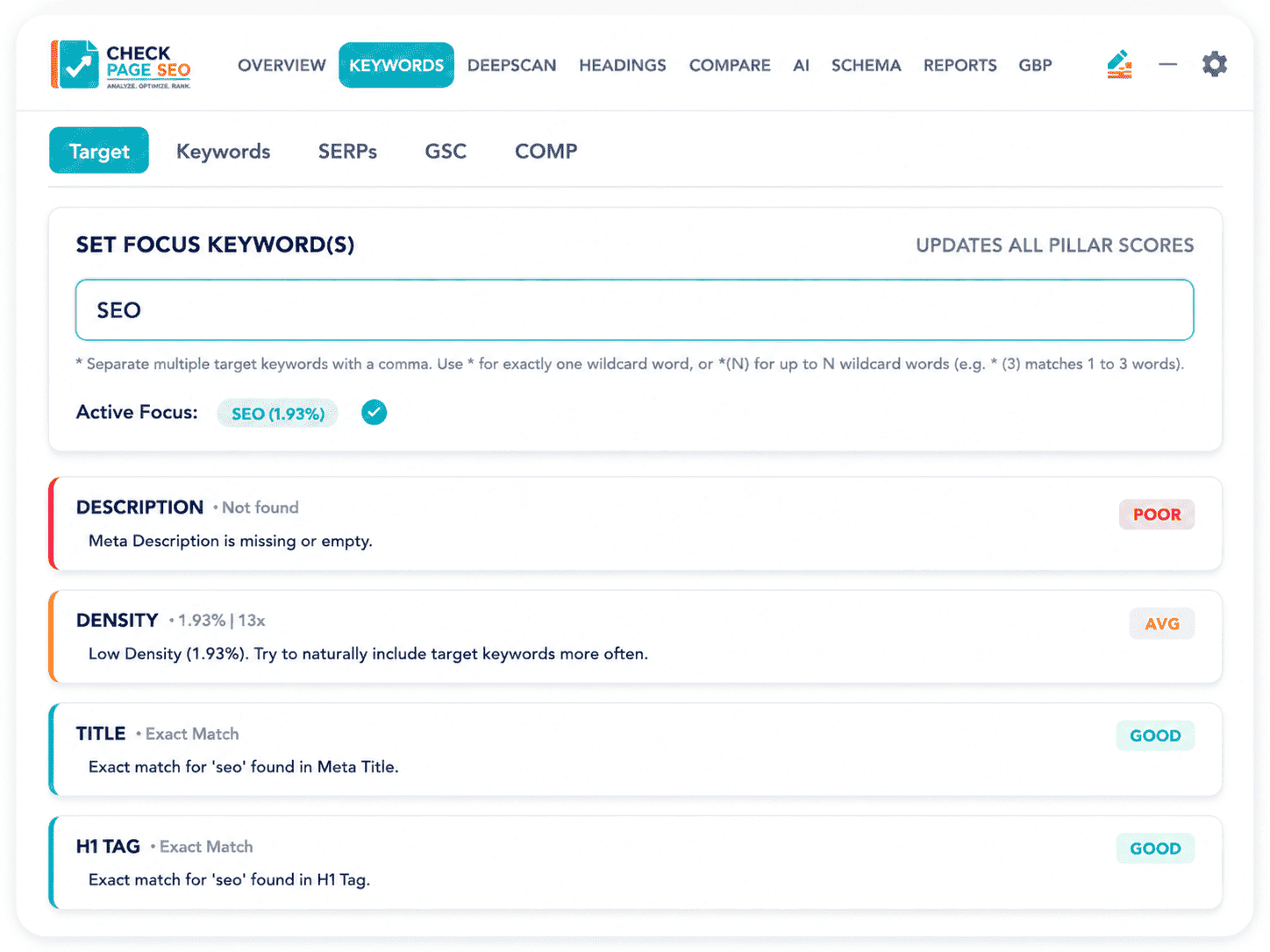
Complete On-Page SEO Checks in One Place
Meta Tags & Click-Throughs
Review your page title and meta description for clarity, length constraints, and alignment with your target keyword. Uncover missing tags, weak wording, and immediate opportunities to improve your SERP click-through rate.
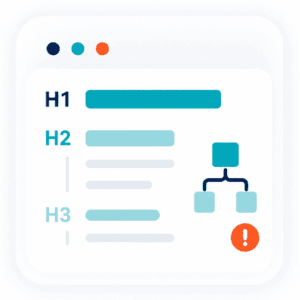
Headings & Page Structure
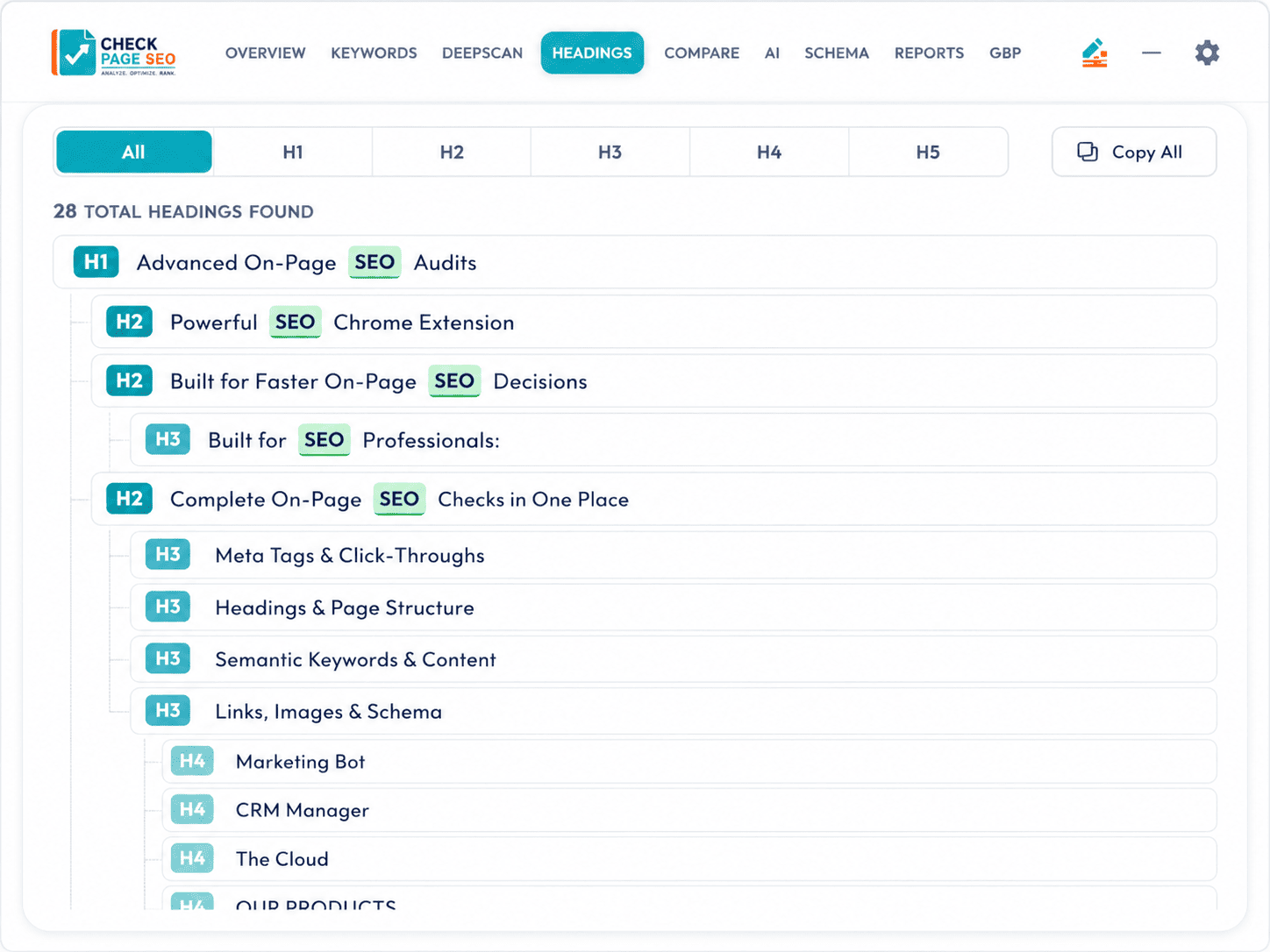
Analyze your H1, H2, and H3 hierarchies. Instantly spot missing H1s, duplicated tags, weak H2 coverage, poor numerical hierarchy, and competitor heading concepts your page currently lacks.
Semantic Keywords & Content
Prevent over-optimization. Analyze how your target keyword appears across the page with dynamic density warnings based on keyword length. Uncover thin content signals, missing LSI terms, and content quality indicators.
Links, Images & Schema
Audit the critical background elements often missed in manual checks. Identify broken internal/external links, missing image alt text, oversized files, schema markup validity, and core indexability/canonical signals.
Deep Scan
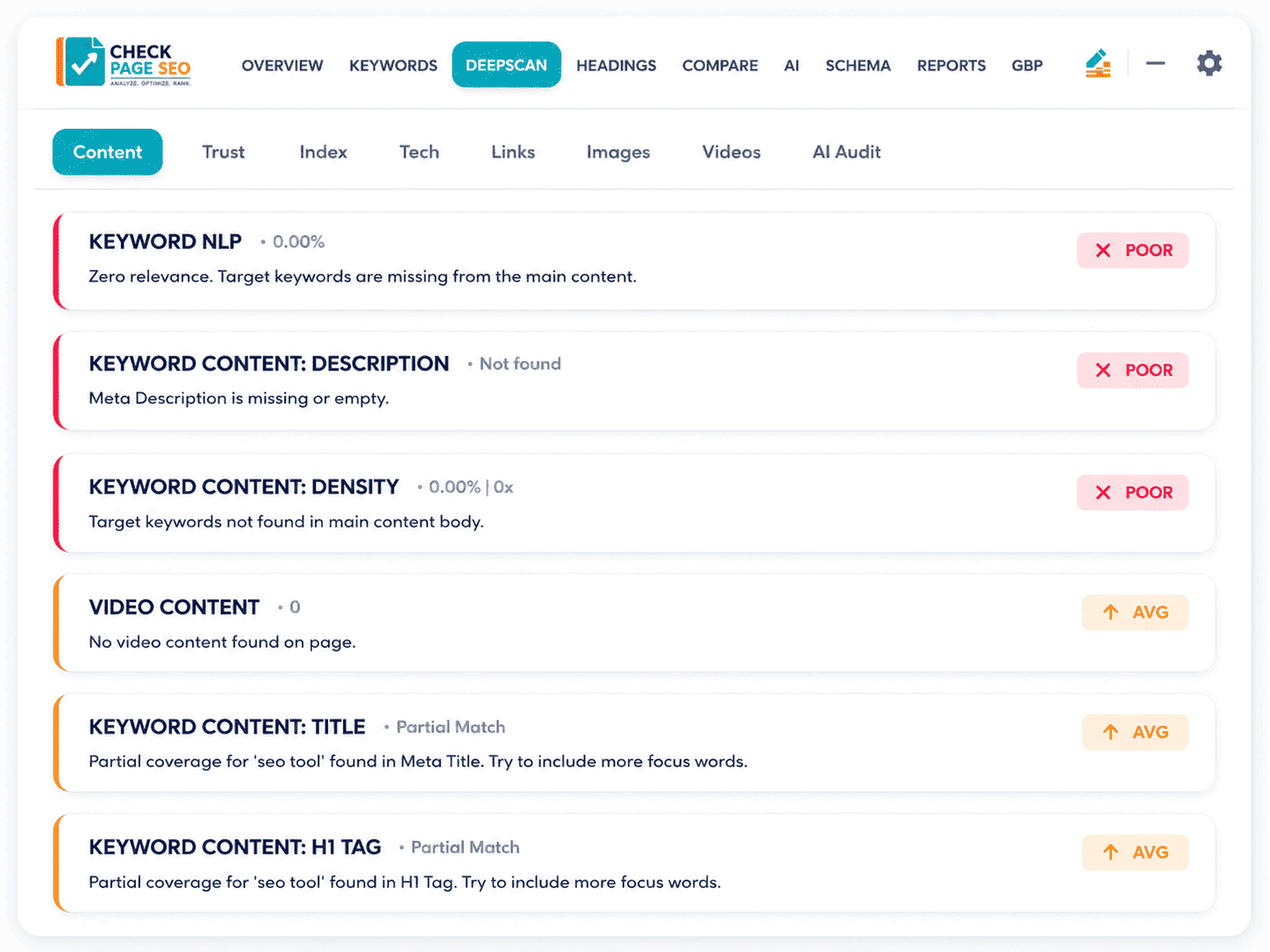
Uncover SEO Gaps with Advanced Intelligence
Compare Your Page Against Competitors
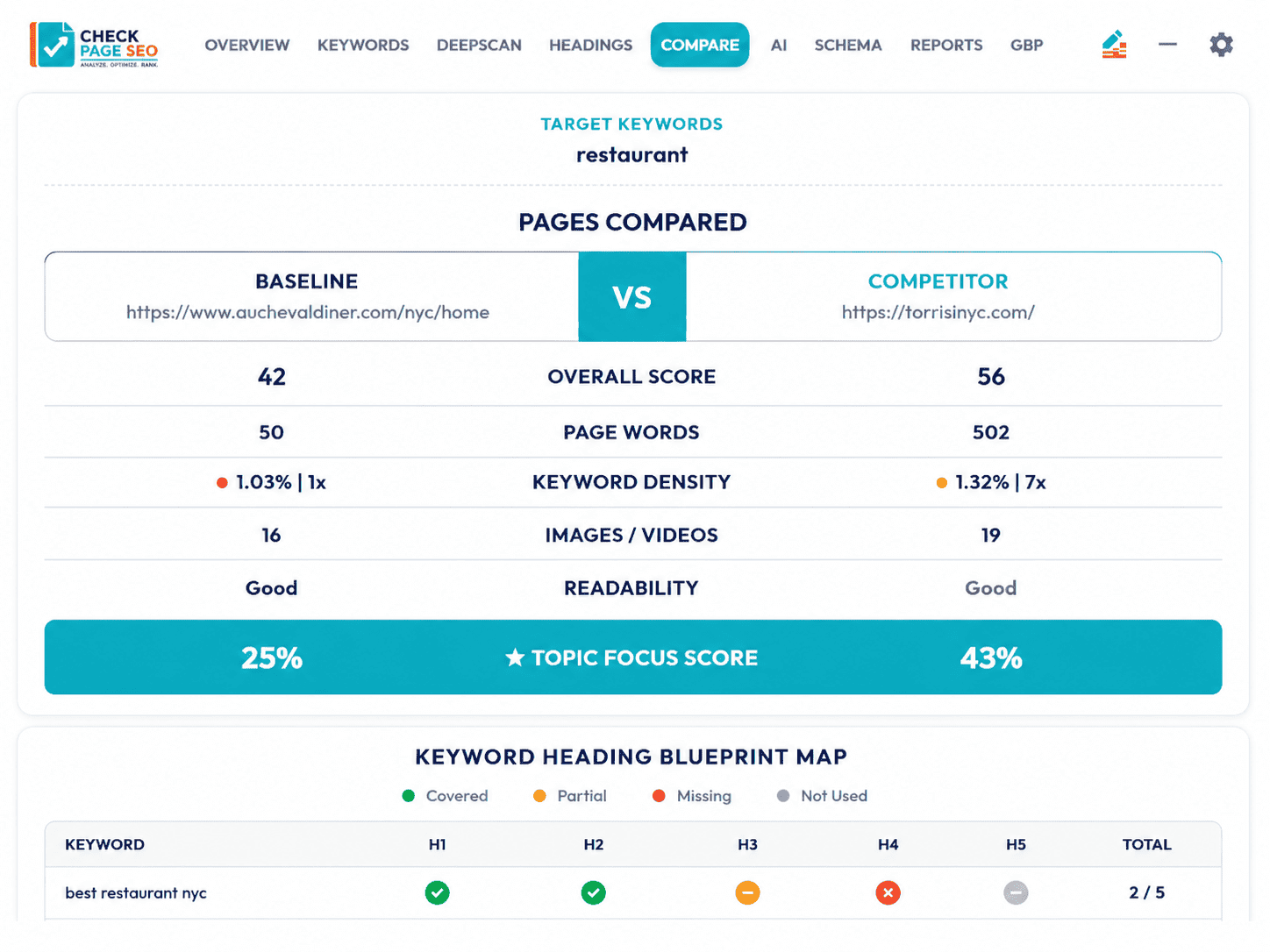
Stop guessing what Google wants. Choose the exact competitor pages you want to compare and see how your page differs side by side. Highlight missing sections, weak headings, keyword differences, link patterns, and structural advantages your competitors use to outrank you.

Local SEO & Google Business Profile Insights
Master the Map Pack. Check Page SEO supports local workflows by extracting live data from Google Business Profiles and local SERPs. Compare categories, review velocities, service areas, attributes, and booking links to see exactly what nearby competitors are highlighting that your client is missing.

Google Search Console Integration
Bring real performance data directly into your page audit. Connect GSC to review clicks, impressions, CTR, average position, and ranking queries while looking at the live page. Identify missing keyword opportunities and pages with high visibility but low engagement without manually matching URLs in a spreadsheet.
Turn SEO Data Into AI-Ready Prompts
Don’t start with a blank prompt. Check Page SEO converts your page findings into structured instructions for AI tools. Instantly generate highly accurate prompts to rewrite weak headings, expand thin content, align search intent, or draft local SEO copy based on real competitor gaps and page data.
Headings Overview
Generate Professional SEO Reports
Create stunning, clear reports for clients, developers, content teams, or internal strategy reviews. Each report is designed to explain the issue, why it matters, and the exact next step.
Team and Client Ready
- Executive On-Page Overviews
- Competitor “Tale of the Tape” Comparisons
- Keyword Usage & Semantic Density
- Heading Structure & Content Gaps
- Image & Link Health Breakdowns
- Local SEO & GBP Insights
- Google Search Console Performance
- AI Prompt Recommendations

Compare Pages
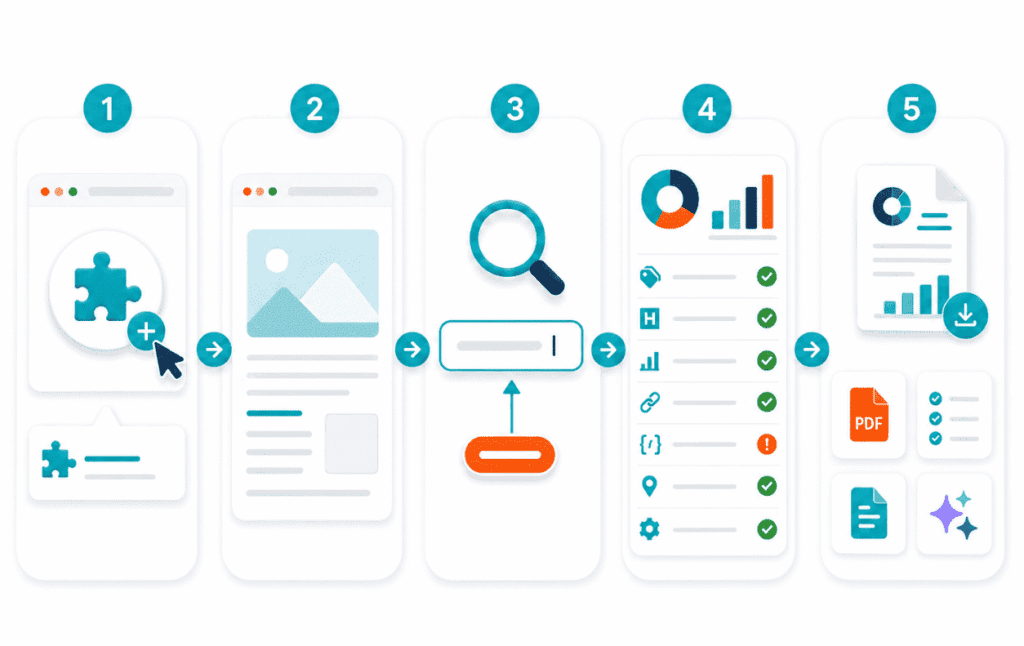
How The Check Page SEO Chrome Extension Works
SEO Checker Steps
- Add the Chrome Extension: “Install Check Page SEO” directly to your browser.
- Open Any Page: Visit the webpage you want to audit (yours or a competitor’s).
- Enter the Target Keyword: Tell the extension what topic the page is trying to rank for.
- Run the Audit: Instantly review metadata, headings, density, links, schema, local signals, and technical checks.
- Export & Execute: Turn the findings into client reports, developer punch lists, content briefs, or AI-ready prompts.
Check Page SEO FAQs
Companies that Trust Us
Testimonials
Feedback from our users



Stop Collecting Data. Start Making Decisions.
Move from
“Here is a list of SEO issues”
“Here is exactly what needs changing on this page, and why.”
Get the on-page insights you need without ever leaving the page. Run faster audits, map competitor gaps, review local signals, and turn page data into clear, executable recommendations today.
Download from the Chrome Store

