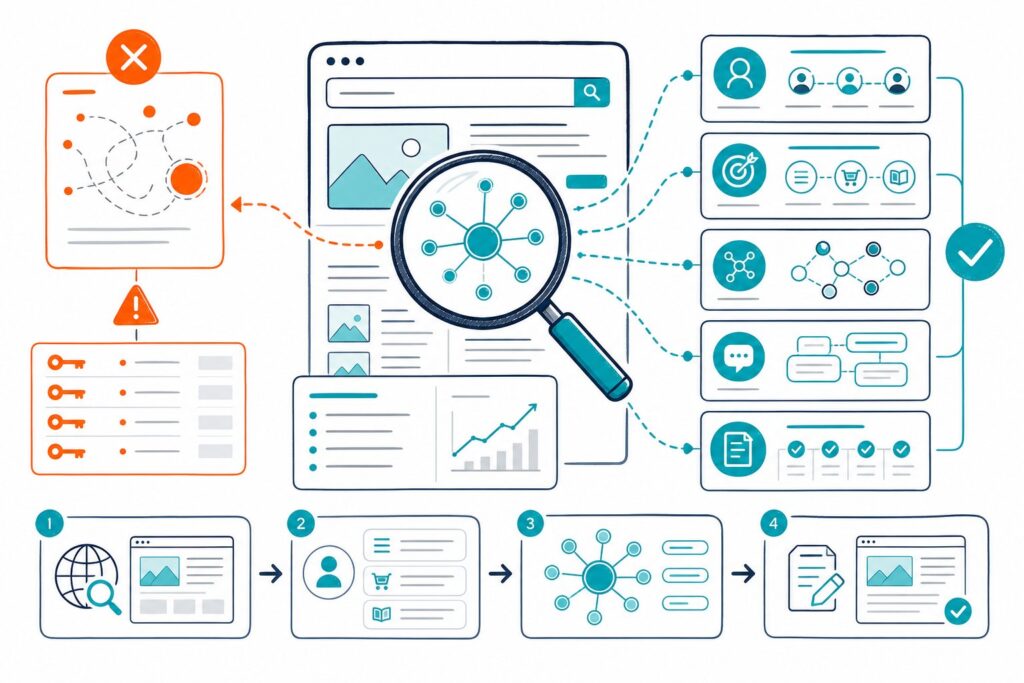
External links shape where you send visitors, what evidence supports your claims, and how safe your page feels. You can check external links on a page by extracting outgoing URLs, testing their destinations, reviewing their attributes, and fixing unsafe or irrelevant references.
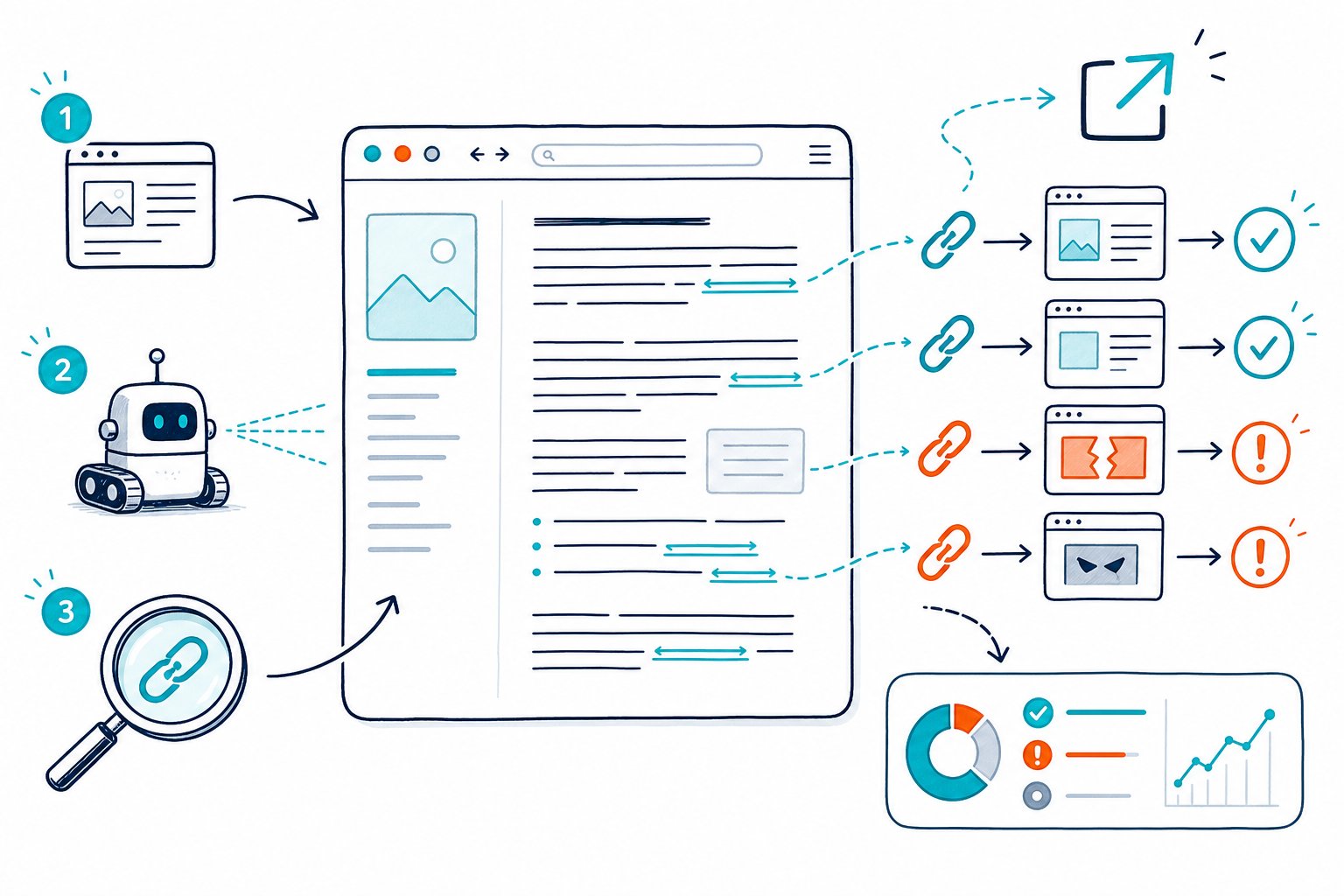
When you know how to check external links on a page, you can catch link rot before it damages user experience, remove suspicious injections, and keep your SEO recommendations defensible. A live-page audit comes in handy when you need to inspect a WordPress draft, a logged-in page, or a competitor URL.
Find and Classify Links on the Live Page
You need a complete list of links from the rendered page before you can judge their quality. Record the destination, anchor text, and HTML attributes so your link analysis reflects what users and search engines actually encounter.
What Counts as an External Link?
An external link, also called an outbound link or outgoing link, points from your domain to a different domain. A link from example.com/page-a to otherdomain.com/resource is external.
External links help users reach useful evidence, tools, and references. They also form part of your page’s link profile, so every destination should fit the topic and earn its place.
Use a Browser-Based External Link Checker
A browser-based external link checker scans the live page you have open. This is often faster than copying a URL into an online external link checker, especially for staging pages and pages behind a login.
Open the page, run your SEO tool, and filter the link report for external URLs. Check Page SEO identifies internal and external links, including broken links, while you view the page. Use the findings alongside SEO reports for client delivery when you need an action list or export.
Inspect the HTML Source Code Manually
For a quick manual review, open DevTools and search the HTML source code for <a href=. Inspect each href value, then check the rel and target attributes.
This method works well for a small page audit. On a large WordPress page with navigation, footers, and repeated modules, use a website external link scanner so you don’t miss links tucked away in templates.
Separate Internal Links, Subdomains, and External URLs
Classify links by hostname, not by the visible anchor text. A link to another URL on your primary domain is an internal link.
Subdomains need a clear policy. shop.yourdomain.com and www.yourdomain.com may belong to your organization, yet link tools can classify them as external because the hostnames differ. Document your rule before you start link auditing so your CSV export stays consistent.
Capture the Anchor Text, Destination URL, and Target Attribute
Your audit sheet should include:
- Anchor text and nearby copy
- Full destination URL
- HTTP status code
relattributes- Whether
target="_blank"opens a new tab - Page location, such as body copy, navigation, or footer
Anchor text tells you what users expect after the click. Vague text such as “read more” creates weak context, while descriptive anchor text sets a clear expectation and makes the experience smoother.
Validate Destinations and Prioritize Fixes
You should fix external links that fail, mislead users, expose security risks, or point to low-trust pages. Start with links on high-traffic pages, core commercial pages, and pages that support active SEO campaign goals.
Test destinations, redirects, attributes, context, and security signals before deciding whether to update, remove, or retain each link.
Check HTTP Status Codes and Broken Outbound Links
Open each external URL or use a crawler to test HTTP status codes. A 200 response means the destination loaded successfully. A 404 error, 410, server error, or timeout creates a broken external link.
Prioritize broken outbound links on pages with strong backlinks, high page authority, or heavy search traffic. A site-wide broken link check helps you isolate failed internal and external URLs when page-by-page checks start taking too long.
Replace a dead reference with a current authoritative source, update it to the new destination, or remove it when no useful replacement exists.
Review Redirected Links and Redirect Chains
Update links that redirect when you control the page. A direct destination gives users a cleaner path and avoids unnecessary requests.
One redirect is manageable in many cases. Redirect chains create more failure points and can send users through outdated tracking paths. Check the final URL, confirm it matches the anchor text, and remove tracking parameters where they add no reporting value.
Audit Dofollow, Nofollow, Sponsored, and UGC Attributes
Follow links, sometimes called dofollow links, have no nofollow restriction in the rel attribute. They may pass link equity, often called link juice or page rank, to the destination.
Use attributes based on the relationship:
- Use
rel="nofollow"when you do not want to endorse a destination. - Use
rel="sponsored"for paid links, affiliate links, and sponsored content. - Use
rel="ugc"for user-generated content such as comments or forum posts.
Review every nofollow attribute in context. A nofollow link to a trustworthy source can still help your visitors. The attribute communicates your relationship with the link, while relevance and usefulness remain visible to users.
Evaluate Relevance, Trustworthiness, and Link Context
Keep links close to the claim they support. You should link to authoritative sources with demonstrated expertise in the same niche, especially when your copy makes factual statements.
Check the destination for current information, clear ownership, and a purpose that matches your anchor text. Domain authority and page authority are third-party comparison metrics, not Google ranking factors. Use domain authority data for competitor research as a screening signal, then review the page yourself.
Secure New-Tab Links With rel=”noopener noreferrer”
Add rel="noopener noreferrer" to external links using target="_blank". This prevents the newly opened third-party website from accessing the original page through window.opener.
Your final HTML should look like this: <a href="https://example.com" target="_blank" rel="noopener noreferrer">Useful resource</a>. Keep sponsored, nofollow, or ugc values in the same rel attribute when your link relationship requires them.
Find Spam Links, Malware, and Link Injection Issues
Look for external URLs you did not place yourself. Spam links can appear in hacked templates, injected widgets, compromised WordPress plugins, comment areas, or footer code.
Check for unfamiliar domains, hidden anchors, random anchor text, sudden outbound-link spikes, and links to malware or phishing pages. Review recent plugin, theme, and CMS changes when you find a suspicious pattern. Also inspect robots.txt and server rules if injected URLs appear across many pages.
Export Findings and Set an Ongoing Audit Cadence
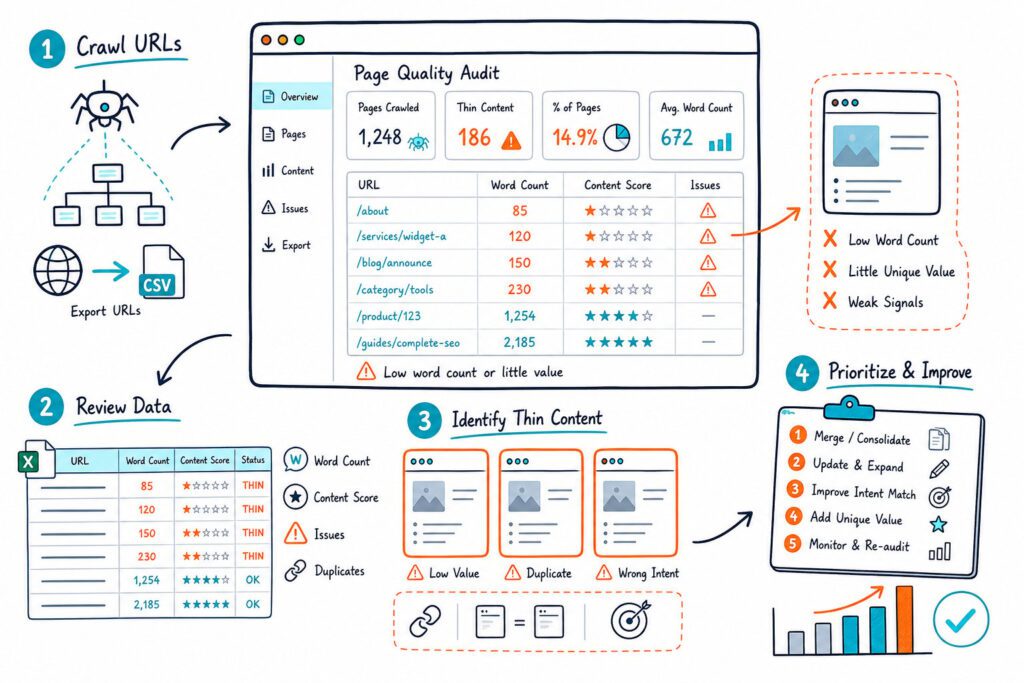
Export your findings to CSV with the URL, anchor text, status code, redirect path, rel attributes, and fix owner. Sort everything by traffic value and severity so your team can tackle the pages where broken links cause the most user impact.
Recheck key pages every quarter, and audit larger or frequently updated sites monthly. One broken-link monitoring guide also recommends quarterly checks for external outbound links, since destination pages can change over time.
Install the Check Page SEO Chrome extension to review external links on the live page, spot broken destinations, and turn the audit into a clear repair list.