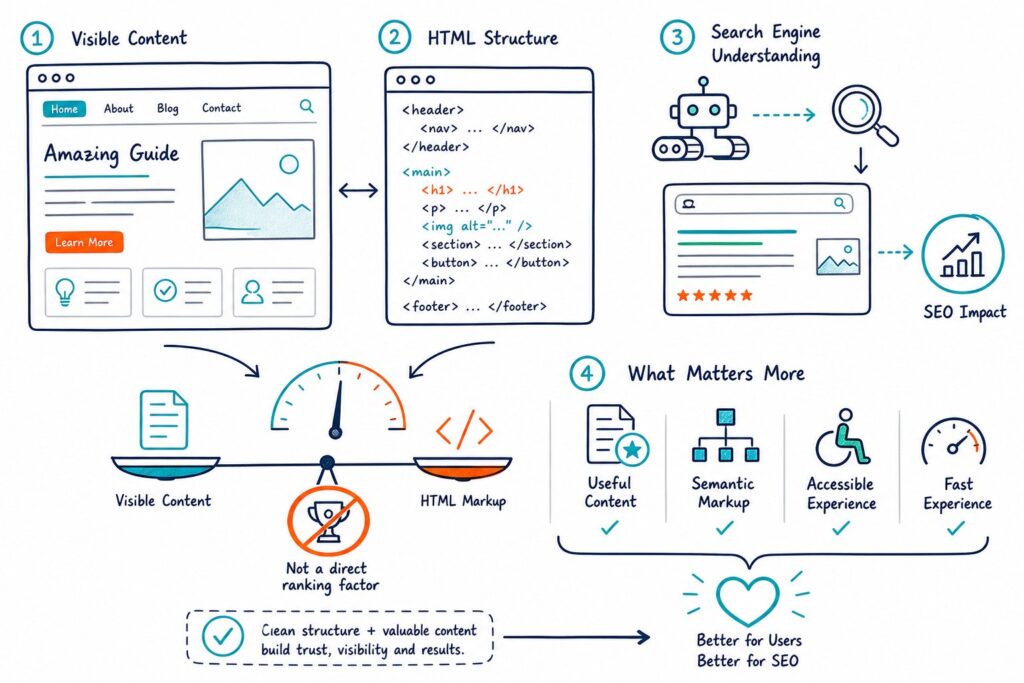
Finding thin content pages is a bit like detective work. You’ll want to combine crawl data, index status, search performance, and a good old-fashioned manual review to see if each URL actually gives people what they’re searching for.
A low word count might set off alarm bells, but the real culprit is low value: copied text, surface-level info, or a page with no real reason to stick around.
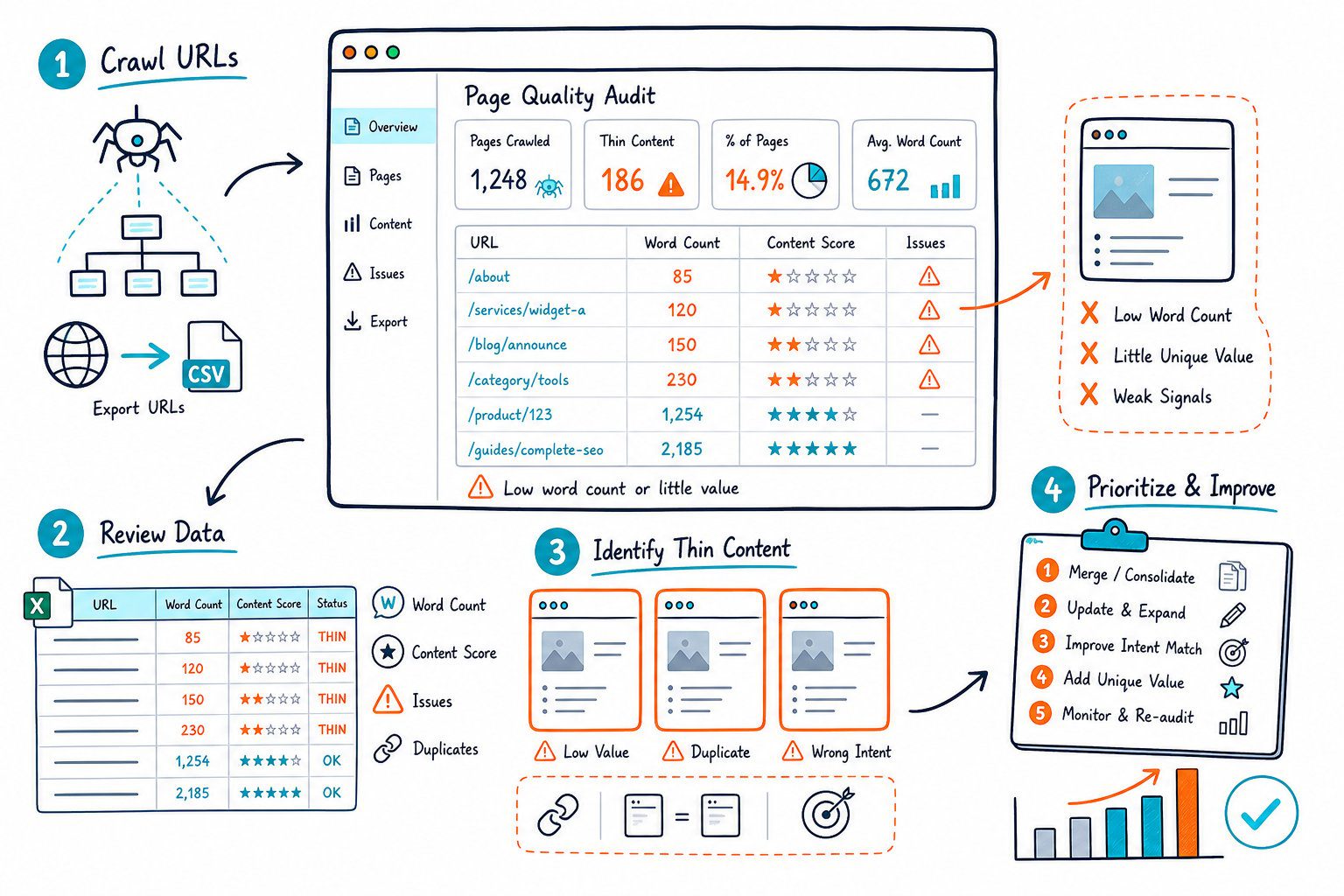
Start with pages that are indexed, get little or no organic traffic, overlap with other URLs, or just use the same tired template text. Then, decide if you can make the page actually helpful, merge it with a stronger one, keep it out of Google Search, or just hit delete.
What Makes a Page Low Value
Low-quality content isn’t about hitting some magic word count. Google’s really looking for pages that help people and answer their questions, not just stuff that’s there to try to rank.
Why Word Count Is a Triage Signal, Not a Rule
Use word count to sort your giant list of URLs, but don’t judge quality by numbers alone. A 150-word contact page or a quick store hours page might be perfect as-is.
A 2,000-word monster can still be thin if it just repeats itself, crams in keywords, or never actually answers anything. It’s all about whether your page covers the topic, shows you know your stuff, and gives visitors details they can’t get from a generic summary.
The main problem is lack of value, not just being short.
Patterns That Create Thin or Unhelpful Pages
Keep an eye out for these usual suspects:
- Duplicate, scraped, or slightly tweaked manufacturer content.
- Auto-generated or AI content that’s been slapped up with zero editing or fact-checking.
- Affiliate pages that just drop links without any real advice, comparisons, or hands-on info.
- Doorway pages made for every city or keyword, all leading to the same thing.
- Product pages with just a title, photo, and the same old manufacturer blurb.
- Infographics with no real text or explanation.
- Pages that are almost identical but target minor keyword tweaks.
To be fair, using AI isn’t automatically a problem. The risk comes when you don’t add your own knowledge, details, or a good reason for the page to exist.
When Short Pages Are Valid
Some pages are short and sweet for a reason. Logins, thank-yous, legal notices, store locators, or simple product pages can all be brief if they do the job.
Don’t stuff these with fluff just to hit a word count. Instead, ask yourself: does this page really belong in Google Search? If yes, add the details that actually help someone decide or take action. If not, maybe just keep it out of search instead of padding it out.
How Quality Problems Can Scale Across a Site
Google Panda made SEOs rethink content quality by looking at patterns, not just single bad pages. These days, Google still checks for helpful content, originality, and overall site quality.
A bunch of weak pages can clog up your index, split your internal links, and water down your topic focus. If you’ve got a cluster of low-value pages, it’s usually a site-wide issue, not just a few random flops.
Google can even hand out manual penalties for thin content, especially if it looks sneaky or is just there to chase rankings.
Build a Prioritised Content Audit
A good content audit mixes technical SEO data with real human judgment. You’ll want a full list of candidates, performance signals, and a clear action for every URL before you start rewriting anything.
Create the Candidate URL Set From Crawl and Index Data
Pull URLs from your XML sitemap, CMS, Google Search Console, and a crawl tool like Semrush. If you’re on WordPress, don’t forget about archives, tags, author pages, search results, attachments, and paginated templates. They often create low-value pages.
For each URL, jot down:
- Whether it’s indexed or noindexed
- Word count and duplicate content status
- Meta title and description
- Canonical URL, redirects, and any 301s
- Internal links pointing to it
- Backlinks and referring domains
- Page type, target query, and conversion purpose
A live audit tool like Check Page SEO can help you peek at headings, indexability, links, and the actual content while you’re on the page.
Use Search Console and Analytics to Identify Underperformers
In Google Search Console, filter for indexed pages with impressions but barely any clicks, pages losing clicks, and URLs that rank for stuff your content doesn’t really answer. Pages with zero impressions over time are worth a look, especially if they have no backlinks or internal links.
Google Analytics can help, but don’t jump to conclusions. A high bounce rate or low time on page might mean poor intent match, but it doesn’t always scream “thin content.” Check where the visitor came from, the device, the landing page, and if they had a chance to convert before you decide.
Focus on pages with some demand and a real shot at improvement. A page sitting at position 8 with lots of impressions is a better first project than an orphaned URL nobody’s searching for.
Review Intent, Originality, and On-Page Coverage
Pop open the page and Google the target query yourself. Compare what you see in the search results to what’s actually on your page, including headings and internal links.
Ask yourself:
- Does the meta title match what the page actually delivers?
- Does the H1 answer the main question clearly?
- Do the H2s cover the key subtopics?
- Is the content original, accurate, and based on real know-how?
- Does the page add more than just a bland summary or manufacturer info?
- Can a visitor easily take the next useful step?
Look at competitors to spot what you’re missing, but don’t just copy-paste their stuff. Your aim is to be more helpful, not just longer.
Choose Between Improving, Consolidating, Excluding, or Removing
Give each URL one job:
- Improve: The page has demand, links, conversions, or a clear purpose you can serve better.
- Consolidate: If two or more pages chase the same intent, merge the good stuff into your strongest page and redirect the rest.
- Exclude: Noindex pages that help users but shouldn’t show up in search, like internal results or thin filter pages.
- Remove: Cut pages with no traffic, links, conversions, or unique reason to exist. Make sure you return the right status code and clean up any internal links.
Don’t use noindex as a lazy fix for big quality problems. If a page is actually useful, make it better. If not, it’s time to merge or delete.
Measure Results After Publishing Changes
Mark down the date every time you make a big move. That means rewrites, redirects, noindex tags, or updating your internal links.
Then, hop into Google Search Console and compare date ranges side by side. Don’t forget to factor in weekday swings, seasonal dips, and those annoying indexing delays.
Keep an eye on clicks, impressions, CTR, and where your pages are actually ranking. Check your indexed-page count and, if you’re tracking them, conversions too.
Double-check that your 301 redirects are working like they should. Make sure all your internal links are now pointing to the right spot.
For a quick spot-check before you hit publish, try out the Check Page SEO Chrome extension. It lets you scan your live content, headings, metadata, links, and indexability without shuffling through a million tabs.