LSI keywords are not some secret Google ranking hack. The phrase usually just means related keywords, synonyms, entities, and topics that help search engines understand your page.
You’ll want to use those elements naturally. That way, you match search intent, make your content more relevant, and pull in the right kind of organic traffic.

If you treat LSI like a list of magic words to sprinkle everywhere, your content will sound robotic and repetitive. Instead, focus on building pages that answer the whole query and give Google clear context.
Why the LSI Keyword Concept Is Outdated
Latent semantic indexing was a real thing in information retrieval. But it’s not how you should optimize for Google today.
Modern search engines care more about language, entities, relationships, intent, page quality, and whether users are actually happy.
Latent Semantic Indexing Versus Modern Search Systems
LSI, short for Latent Semantic Indexing, was cooked up decades ago to spot patterns in documents and terms. It’s related to latent semantic analysis and other methods that boil words down into statistics.
Google, to be fair, has moved way past that. Now they use fancy natural language processing (NLP) systems, like BERT, that can figure out meaning from sentence structure, entities, and context.
A modern take on the LSI keyword myth sums it up: related terms matter, but “LSI keywords” aren’t the tech you should chase.
What John Mueller’s Statement Actually Means
Google’s John Mueller has flat-out said there’s no such thing as LSI keywords in their ranking system. That doesn’t mean Google ignores how language works.
It just means you shouldn’t try to reverse-engineer your content with an old-school LSI model.
Bill Slawski, rest his soul, wrote tons about Google patents on semantic relationships and context. But that’s not a green light to chase a fixed list of words.
Write to clear up ambiguity and cover what a searcher actually wants. That’s the game.
Synonyms, Co-Occurrence, and Contextual Relevance
Synonyms and related terms still help show what your page is about. For example, if you’re writing about the Apple iPhone, it makes sense to mention smartphones, iOS, cameras, battery life, and mobile plans.
Those words help clarify your topic. But you don’t need to shoehorn in every possible related phrase.
Use terms that make things clearer for your reader. Real relevance comes from answering questions and matching intent, not just repeating synonyms.
Why Keyword Density and LSI Generators Mislead Writers
Chasing keyword density is a fast track to awkward, robotic writing. LSI keyword generators love to spit out long lists, making you feel like you have to use every single one.
Honestly, treat those tools as idea starters. Toss out anything that doesn’t fit your audience or topic.
A page can rank just fine with a low count of exact-match keywords if it’s useful, specific, and lines up with what people want.
A Better Workflow for Building Relevant Content
Forget LSI copywriting tricks. Go for semantic SEO: research what people need, map out the entities and questions behind the query, and create high-quality content that actually answers those questions.
Focus on relevance and user experience, not just stuffing in phrases.
Start With Search Intent and SERP Evidence
Type your target keyword into Google and see what pops up. Does the results page show guides, product pages, local businesses, comparisons, videos, or quick answers?
Check out People Also Ask, autocomplete, and related searches to see what questions real people ask. Tools like Ahrefs, Semrush, Moz, and Google Keyword Planner can help, but the live SERP tells you what Google really likes right now.
Your page needs to do that job better than the competition.
Build Topic Coverage Around Entities and Related Questions
Make a mini map around your main topic, including related terms and the questions users actually have. If you’re writing about voice search, you might touch on smartphones, Apple, iPhone, conversational queries, local results, and accessibility.
Write to answer real questions, not just to hit a checklist of “semantic keywords.” Every paragraph should earn its spot by solving a reader’s need.
Use Headings, Meta Tags, and Internal Links to Clarify Relevance
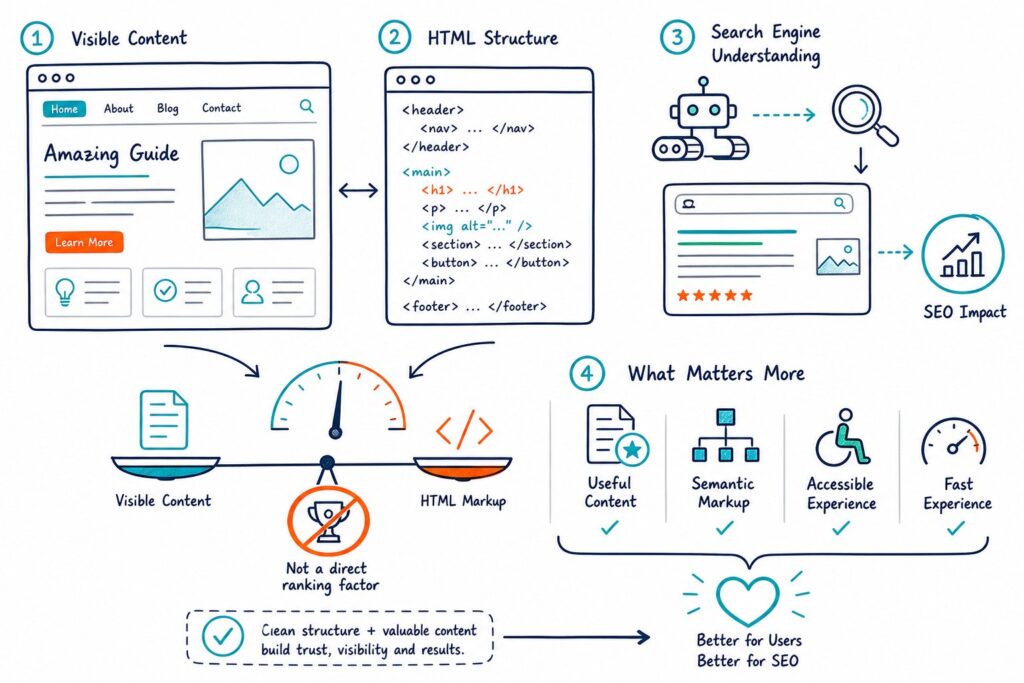
Headings and subheadings help show your logic and keep things organized. Your H1 should promise what the page is about, and your H2s should break down the big ideas that match search intent.
Write a meta description that sets honest expectations. Use clear anchor text for internal links so people (and Google) know where they’re headed next.
If it fits, structured data can help clarify your page’s type, author, product, or business info.
Audit Content Gaps and Repetition Before Publishing
Stack your draft up against the top-ranking pages. Look for missing questions, weak examples, or spots where you’re repeating yourself.
Don’t just copy your competitors or pad your word count to match theirs. That’s a waste of everyone’s time.
A live on-page SEO audit in Check Page SEO can help you spot issues with headings, meta tags, keyword repetition, internal links, schema, and indexability. Its competitor comparison can also show you what you’re missing, without turning your writing into a “semantic keyword” scavenger hunt.
Measure Query-Level Results and Refresh Meaningfully
Once your page is live, crack open Google Search Console and poke around. Check out impressions, clicks, click-through rate, average position, and—most importantly—the actual queries that send folks your way.
If you see a ton of impressions but hardly any clicks, odds are your title or meta description could use some love. On the flip side, if you’re ranking just shy of page one, you might be missing a key detail or not quite nailing the searcher’s intent.
When things change—like search habits, your products, the facts, or even what shows up on Google’s front page—it’s time for a real refresh. Don’t just slap on a new date and call it a day. Instead, add sharper examples, swap out anything stale, leave better content notes for your editor, and ditch sections that make people bounce faster than a rubber ball.
If you want a quick gut check before you hit publish, Add to Chrome for free and run a speedy audit on your page.