
An effective AI prompt for SEO recommendations gives your AI tools evidence, a clear goal, and rules for the output.
You’ll get way better results with live page data, Search Console queries, and competitor findings than if you just ask for generic SEO advice.
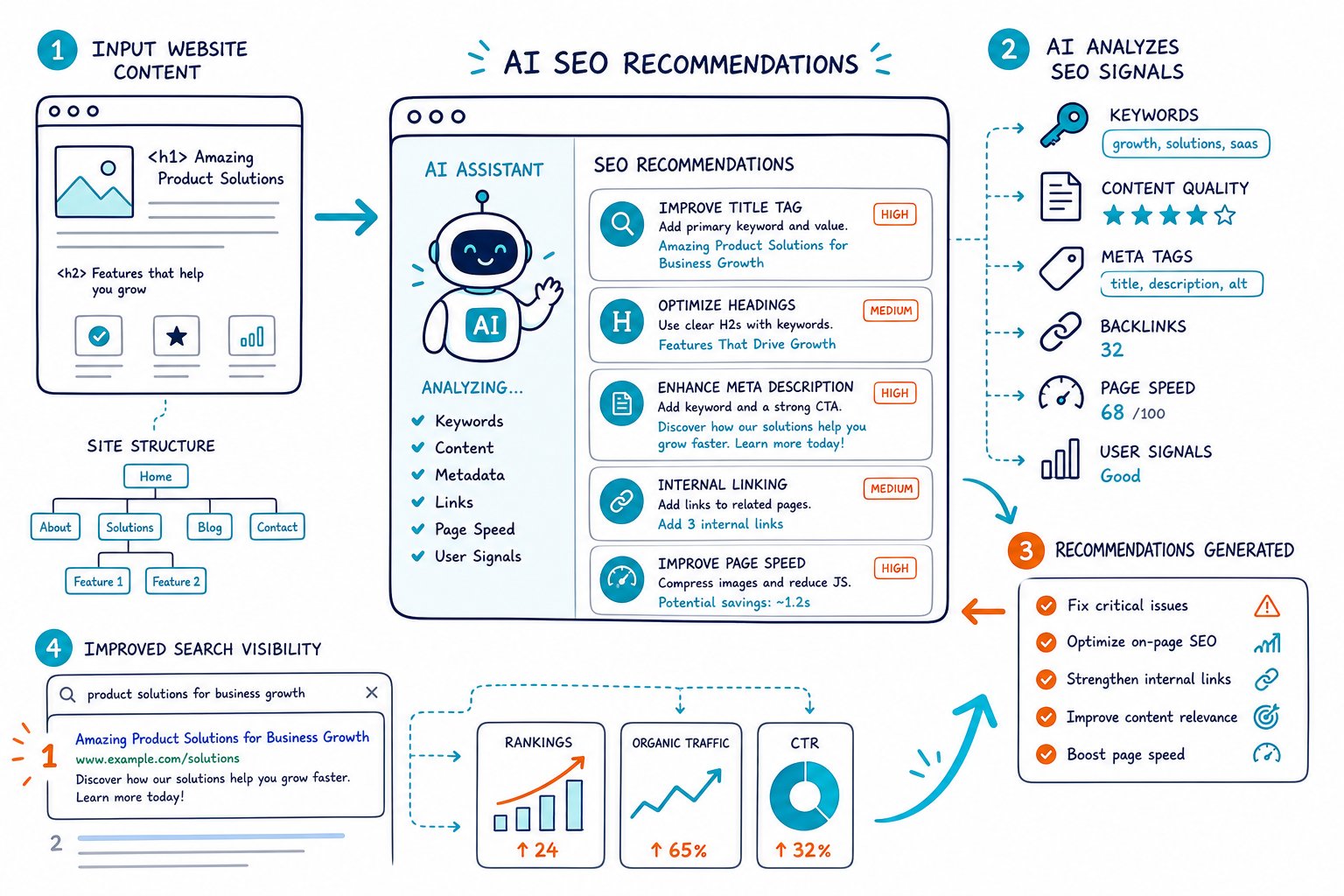
You can use ChatGPT, Claude, Gemini, or any of the usual AI suspects to speed up content optimization.
Still, treat their output as a draft, not gospel.
The templates below are here to help you turn real SEO evidence into prioritized actions that actually fit search intent.
Build Prompts From Verifiable Page Data
Strong prompts mix your SEO audit findings with keyword research, query performance, and competitor evidence.
This cuts down on made-up advice and gives you recommendations you can test against your real, live page.
Define the SEO Objective, Audience, and Search Intent
Start with one page and a single measurable goal.
Skip vague prompts like “make this page rank higher”. That’s like asking a chef to “make food better.”
Use this template:
Act as a senior on-page SEO strategist. Review this page for the target query: [KEYWORD]. The audience is [AUDIENCE]. The intended search intent is [INFORMATIONAL/COMMERCIAL/TRANSACTIONAL]. Your goal is to improve [CLICKS/CTR/RANKINGS/LEADS] without changing the core offer. Identify the three highest-impact changes.
Search intent has always mattered, even before AI tools were a thing.
Your title, headings, format, and first answer need to match what searchers actually want.
Supply Audit Findings, Query Data, and Competitor Evidence
Give the model facts from your SEO audit, not wishful thinking.
Include stuff like metadata, heading structure, word count, canonical status, indexability, readability, keyword use, and content gaps.
Audit data: [PASTE FINDINGS].
Search Console data: [QUERY, CLICKS, IMPRESSIONS, CTR, POSITION].
Competitor evidence: [HEADINGS, TOPICS, WORD COUNT, MEDIA, STRUCTURE].
Perform keyword gap analysis and content gap analysis. Recommend changes supported only by the supplied data.
Tools like Check Page SEO can quickly turn your real on-page and technical SEO findings into structured AI prompts while you review the page.
Set Output Constraints and Acceptance Criteria
Constraints keep AI from giving you fluffy or unhelpful advice.
Tell it what to focus on, what’s off-limits, and how you’ll judge the work.
Return a table with: issue, evidence, recommendation, priority, expected SEO impact, and validation step.
Do not invent rankings, search volume, competitor data, or Google requirements.
Limit recommendations to actions a content editor or developer can complete.
Mark any uncertain recommendation as “needs manual verification.”
This kind of instruction hierarchy is the backbone of a solid prompt: clear input, context, and constraints.
Validate AI Recommendations Before Implementation
Always check every recommendation against the actual rendered page, not just the HTML.
Make sure a proposed keyword fits naturally and that a heading change still answers the user’s question.
Validate technical suggestions in Google Search Console, your CMS, and browser tools.
Check canonicals, robots directives, schema markup, redirects, and mobile rendering before you hit publish.
AI is great at spotting patterns fast.
But you still have to decide if a change actually makes the page more useful and matches search intent.
Use Templates Across High-Impact SEO Workflows
You can reuse this prompt structure for research, content creation, technical diagnosis, and local SEO.
Just keep the page URL, target audience, evidence, constraints, and acceptance criteria in every version.
Research Keywords, Questions, and Content Opportunities
Use AI to cluster verified terms into useful topics.
Don’t rely on it to guess search volume or chase trends out of thin air.
Using these verified keywords and frequently asked questions: [DATA], group long-tail keywords by search intent. Identify content opportunities, question targets, and topics that deserve separate pages. Flag terms that should not be combined because they serve different intents.
Ask for a pillar page only if the terms genuinely share a parent topic.
Trying to rank for every variation on one page usually spreads your content too thin.
Improve Metadata, Headings, and Featured Snippet Targets
Use page evidence to boost relevance and clarity, but don’t force keywords everywhere.
Rewrite the title tag, meta description, H1, and H2 structure for [URL]. Target query: [KEYWORD]. Current copy: [COPY]. Preserve the page’s promise. Provide three title options under [CHARACTER LIMIT] characters and identify one concise answer block that could suit featured snippets.
Look over each option for click appeal.
A higher CTR only matters if your page actually delivers after the click.
Create Content Briefs, Pillar Pages, and Supporting Assets
AI shines when you feed it real gaps and let it organize them into a brief.
Give it competitor headings, customer questions, internal notes, and approved claims.
Build a content brief for [TOPIC]. Use these content gaps: [GAPS]. Create an H2 and H3 outline, required entities, proof points, internal-link suggestions, FAQ candidates, infographic ideas, and a list of claims needing fact checks. Do not draft unsupported statistics.
This keeps your content from turning into generic filler and gives writers a real plan to work with.
Diagnose Indexability, Speed, and Structured Data Issues
Technical prompts should spit out checks, not magic fixes.
AI can’t peek into your server unless you give it the evidence.
Review these technical findings for [URL]: [ROBOTS.TXT RULES, META ROBOTS, CANONICAL, STATUS CODE, CORE WEB VITALS, PAGE SPEED DATA, SCHEMA MARKUP]. Rank risks by indexability and user impact. For each issue, provide a verification method, likely owner, and safe remediation step.
Test robots.txt, structured data, and page speed tweaks on staging before you roll them out.
A fix that looks fine on paper can still block important URLs or break a template, and nobody wants that headache.
Plan Internal Links and Link Acquisition Opportunities
Internal linking is usually the quickest win because you control both the anchors and destination pages.
Focus your links on pages with a real topical relationship.
Map internal linking opportunities between these URLs: [URL LIST]. Target page: [URL]. Recommend relevant anchor text, placement context, and link direction. Avoid exact-match repetition and links that do not help users.
For link building or broken link outreach, have AI prioritize prospect relevance and page fit.
But don’t automate outreach without checking that your replacement resource genuinely solves the broken-link problem.
Adapt Recommendations for Local Search Pages
Local SEO craves real proof you’re actually in the area. So, forget about those lazy city pages that just swap out place names.
Create local search recommendations for [SERVICE] in [CITY/AREA]. Business facts: [GOOGLE BUSINESS PROFILE, NAP, SERVICE AREAS, REVIEWS, HOURS, LOCAL DIRECTORIES, COMPETITOR NOTES]. Recommend page sections, local proof, schema opportunities, and Google Business Profile improvements. Flag any missing fact that requires confirmation.
Stick to details you can back up, like where you work, how folks can book you, and what your customers are actually saying. Don’t forget to show off your local expertise because people want to know you’re the real deal.
If you want to speed up your audits or get AI-powered tips straight from the local search results, Add to Chrome for free. It’s quick, painless, and might just save you a headache or two.



