
A single-page SEO audit helps you figure out why a specific URL is winning, losing, or just not getting the traffic you want. You’re checking if Google can crawl and index it, if it matches real search intent, and if the content, technical stuff, and user experience hold up against what’s already ranking.
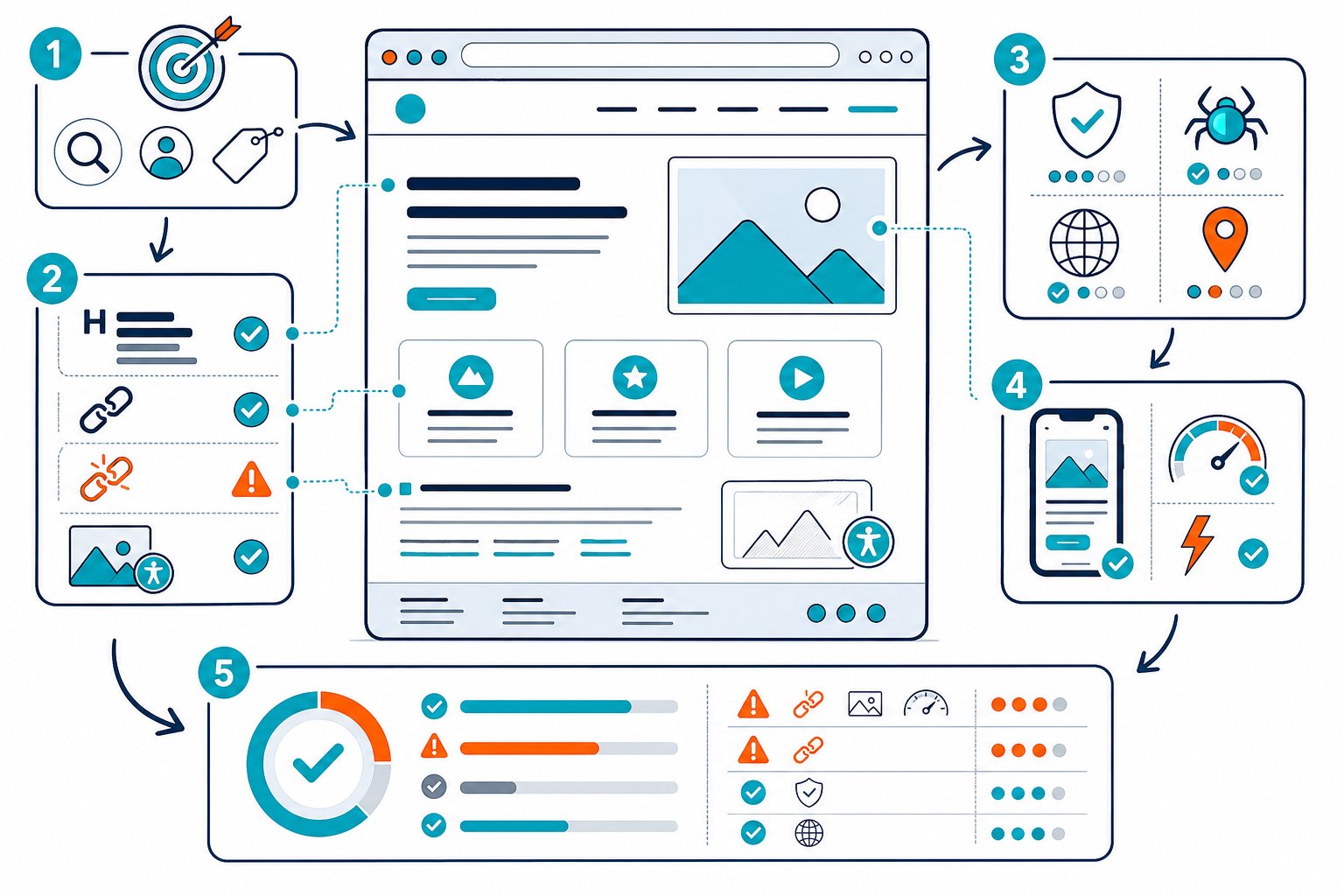
Think of a page audit as a sharp diagnosis, not just a mini version of a full site audit. You’re collecting evidence, spotting the handful of issues that actually matter, and rolling out targeted fixes.
That way, you don’t waste time chasing tiny SEO errors while the real culprit is something bigger, like weak intent match or poor indexing.
Build the Page-Level Evidence Set
Before you touch anything, grab evidence from the page itself, Google Search Console, and the live SERP. This tells you if you’re dealing with a page-level hiccup, a competitive gap, or a bigger site structure headache.
Define the Target Query, Intent, and Conversion Goal
Pick one main keyword and a few close search queries. Take a peek at the live SERP and figure out what people want: are they looking for info, to buy, to find something local, or just to get somewhere specific?
Make sure your title, H1, intro, and key sections help users get exactly what they came for. Set a conversion goal too, such as a purchase, demo request, call, email signup, or even just a click to another page.
If your page ranks but doesn’t help someone take a real action, what’s the point?
Review Google Search Console Performance and Indexing
Pop into Google Search Console and check out the URL’s clicks, impressions, CTR, average position, and the queries it ranks for. Compare equal days of the week before and after changes, especially if your traffic has weekday patterns.
Look for queries with lots of impressions but a sad CTR, stuff ranking in spots 8 through 20, and keywords your page barely touches. Use URL Inspection to double-check indexing, canonicals, and that Googlebot can actually fetch your page.
Inspect the Rendered Page and Search Result Appearance
Audit the live, rendered page, not just the raw HTML. JavaScript, cookie banners, accordions, and template tweaks can totally change what users and Google see.
Check your visible title tags, meta tags, H1, headings, main copy, canonicals, schema, and how it looks on mobile. Search your main phrase and see if Google rewrites your title or meta description.
A one-page audit should laser in on the stuff that shapes that URL’s relevance and usability.
Benchmark the Page Against Relevant SERP Competitors
Pick three to five pages that actually rank for your target query. Don’t just chase your biggest business rivals.
Compare things like content length, heading coverage, entity depth, media, internal links, page type, and how they handle conversions. Don’t just copy their word count. Find the missing answers, proof, or weak spots your page can do better.
Tools like Check Page SEO let you compare rendered pages side-by-side, which is handy when you need more than just a crawl.
Separate Page Defects From Sitewide Constraints
Label each problem as either page-specific or sitewide. A missing H1, thin content, or broken image? That’s a page fix.
But if you’ve got weak site authority, messy navigation, or thin topic coverage, you’re looking at bigger-picture issues.
Knowing the difference saves you from slapping a fresh meta description on a page when the real problem is sitewide indexing or a SERP full of big brands.
Run Checks, Prioritize Fixes, and Validate Impact
A solid SEO audit usually moves from access and indexing to relevance, content quality, links, media, and performance. Fix the big blockers first, then test improvements that could actually move the needle.
Confirm Crawlability, Canonical Signals, and Redirect Behavior
First, make sure your URL returns a 200 HTTPS response and Googlebot can crawl it. Check robots.txt, meta robots, your XML sitemap, and run URL Inspection for any crawl or indexing issues.
Take a close look at canonicals. Most pages should use a self-referencing rel=canonical, unless you’re intentionally merging duplicates.
Check that all versions of your URL, including HTTP, HTTPS, www, non-www and trailing slashes, point to the right place with a single-step 301 redirect. Redirect chains, 404s, and mixed-up canonicals can slow things down or mess with consolidation.
Audit Titles, Meta Descriptions, Headings, and Content Quality
Make your title tags sharp, on-target, and tempting enough to earn the click. Meta descriptions don’t directly boost rankings, but a clear one can make your result pop when Google uses it.
Stick to one clear H1 and use descriptive H2s that match real sub-intents. Check for thin or duplicate content, word count, entity coverage, readability, and keyword use.
To be fair, search engines are way better now at sniffing out shallow pages and poor intent match. So don’t just repeat keywords. Answer the question.
Assess Internal Links, External Links, and Media Assets
Check which internal links point to your page, their anchor text, and whether they come from relevant spots. Add links from strong, related pages using anchors that make sense.
Review external links, broken links, broken images, alt text, and image optimization. Use real alt text for images that add context, and skip the fluff for decorative pics.
Convert huge images to WebP if you can, and make sure big files aren’t bogging down your load speed.
Measure Mobile Performance and Core Web Vitals
Test your page in PageSpeed Insights and on an actual phone. Check LCP, CLS, INP, render-blocking assets, script weight, image size, and mobile usability.
Don’t get obsessed with chasing perfect scores. If your biggest content piece is a slow-loading hero image or a font that blocks rendering, fix that specific thing.
Slow pages kill confidence before users even see your content.
Convert Findings Into an Impact-Ordered Fix List
Turn your audit into a short, punchy task list with an owner, expected impact, effort, and how you’ll measure if it worked. Skip the endless spreadsheet of equal-priority issues.
Here’s a smart order to follow:
- Indexing, crawlability, canonical, redirect, and major technical SEO errors.
- Intent mismatch, missing key content, and weak title tags or H1s.
- Internal links, anchor text, schema, images, and metadata tweaks.
- Page speed and user experience fixes that actually affect real users.
And there you have it: a page audit that’s practical, focused, and actually gets things moving.
Request Reindexing and Measure Results After Deployment
After deployment, test the live page again. Check that the HTML, rendered content, canonical tags, structured data, mobile layout, and HTTP behavior actually match what you wanted to change.
If everything looks good, go ahead and request reindexing in Google Search Console. Only do this when the change is big enough to matter.
Once you’ve hit that button, keep an eye on your impressions, clicks, CTR, and keyword rankings. Give it enough time to smooth out the daily ups and downs.
It helps to keep a dated change log. That way, when your rankings jump (or nosedive), you’ll know exactly what release caused it.
For a quick and easy workflow, try the Check Page SEO Chrome extension. You can audit the live page right in your browser, both before and after you deploy.



