
So your competitor’s sitting pretty above you in Google, and you’re left scratching your head. Usually, there’s a real, measurable gap: maybe in how relevant your page is, how well you match search intent, technical stuff, authority, or just plain user satisfaction.
It’s almost never just one magic trick, and you won’t fix it by tossing in random keywords or copying their word count. Sorry, shortcuts rarely work here.
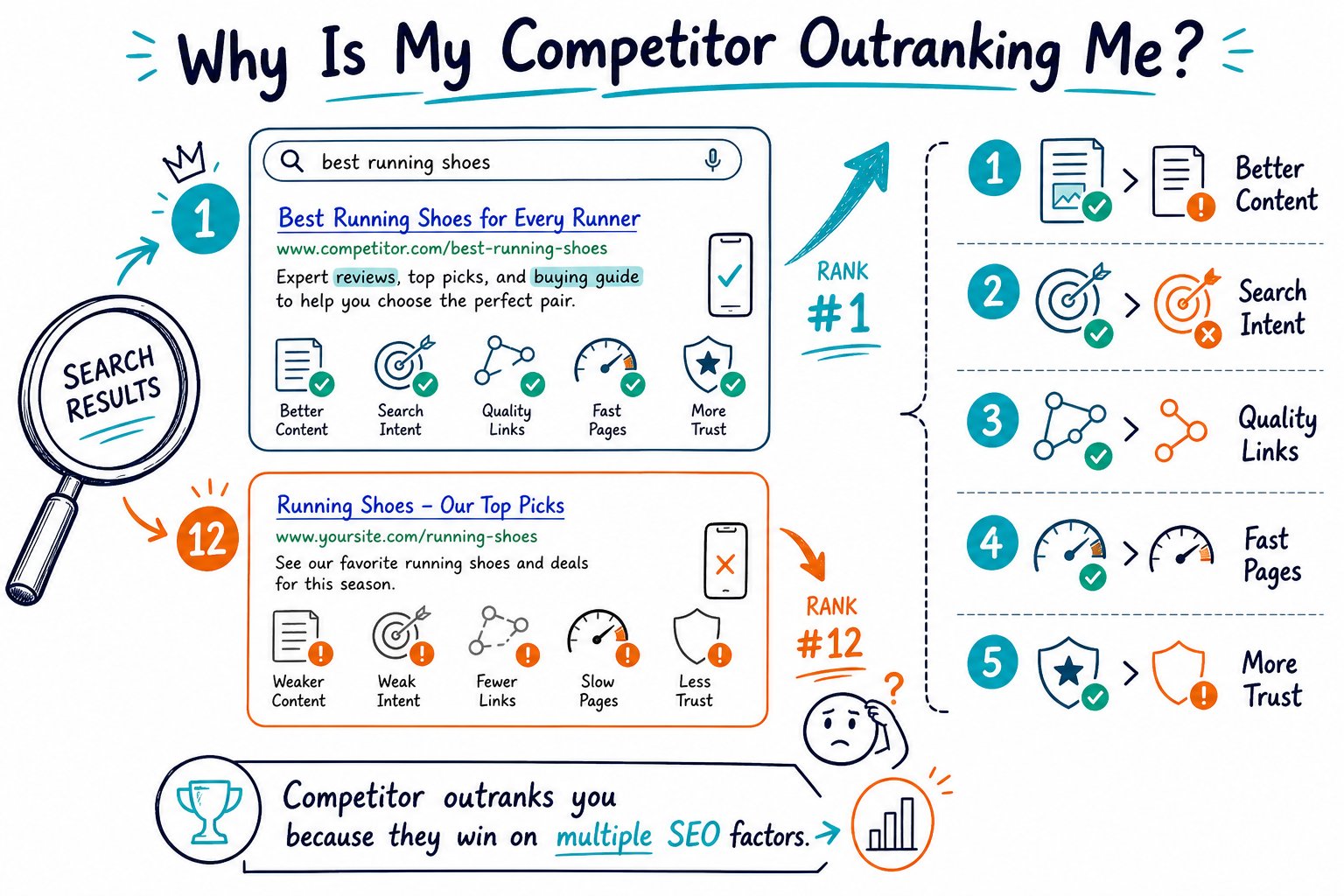
First things first: compare the exact URLs, the search queries, and the SERP context before you touch a thing. You want to spot the gap they’re winning, then make one clear, smart improvement at a time.
Diagnose The Ranking Gap Before Making Changes
Step one is to figure out if you’re really at a disadvantage or just seeing normal ranking shuffles. Look at the actual pages Google is picking for the same query, on the same device, in the same market.
Confirm You Are Comparing Pages With The Same Search Intent
Check if your page and your competitor’s are actually solving the same problem. A product page will usually lose to a helpful guide for an informational search, and the reverse is true for commercial queries.
Take a good look at your title, H1, intro, page type, and those classic buying signals like pricing or calls to action. If people are searching for “best CRM software,” your page better have comparisons and buying advice, not just a dry explanation of what a CRM is.
Separate Ranking Losses From Competitor Gains
Hop into Google Search Console and compare at least 28 days to the previous period. Look at impressions, clicks, CTR, average position, and which queries actually changed.
If your impressions tanked, you might have a ranking, indexing, or even a demand issue. If impressions are steady but clicks dropped, your title and snippet probably need work. If your competitor jumped up while you stayed flat, figure out what they changed before you go changing everything on your end.
Benchmark Query Coverage, Page Structure, And Content Depth
Map out your competitor’s headings, key topics, examples, images, internal links, and all those supporting sections. Don’t just chase a bigger word count.
Sometimes a shorter page wins because it answers the question faster or shows real expertise. For a fun deep dive, check out this analysis of why a competitor can outrank you with less content.
Do a side-by-side audit to spot missing subtopics, not just phrases to repeat. Tools like Check Page SEO are handy for comparing content, headings, readability, and link patterns while you view both pages live.
Compare Indexability, Canonicals, Internal Links, And Technical Quality
Make sure your preferred URL returns a 200 status, is indexable, and uses a self-referencing canonical if needed. Watch out for noindex, robots.txt blocks, or weird canonical tags that could mess things up.
Check if your important internal links actually point to the page, and use anchor text that makes sense. While you’re at it, audit mobile usability, scripts, image sizes, broken links, schema, and the rendered H1.
A perfect technical setup won’t guarantee you rank, but if Google can’t crawl or index your page, you’re toast.
Prioritize Fixes That Improve Relevance And Satisfaction
Fix the stuff that’s most likely to move the needle for Google and for real people. Start with matching intent and making your page genuinely useful.
Don’t change a dozen things at once or you’ll never know what worked (or what backfired).
Close Meaningful Content And Entity Gaps
Add the sections your audience actually needs to make a decision or get something done. Include specifics: features, locations, examples, proof, and anything else that fits the query.
Don’t just copy your competitor’s layout. Bring in details only you can provide, like original screenshots, test results, case studies, your process, or your team’s real-world experience.
Improve Titles, Headings, And Snippets For Query Alignment
Make your title and H1 speak the searcher’s language and intent, but don’t stuff in awkward keywords. Your title should promise what the page delivers, and your headings should make answers easy to find.
Spot high-impression queries with low CTR in Search Console. Try a sharper title or meta description, then give it time and enough impressions to see if things improve. Google might rewrite your snippet anyway, so measure clicks, not just what you see in the SERP.
Strengthen Trust, Topical Authority, And Supporting Evidence
Show why you’re the right answer. Add real author or business info, clear contact details, relevant schema, customer proof, citations for bold claims, and links to deeper pages.
Build authority with useful topic clusters, not just one-off posts. Internal links should help users (and Google) navigate between your core service, product, and educational pages.
If you’re playing in the local SEO sandbox, compare things like categories, review freshness, profile completeness, and NAP consistency. This local ranking analysis breaks down how proximity, categories, reviews, and an active profile can make or break your local rankings. Sometimes, the secret sauce isn’t even on your webpage.
Use Search Console Data To Test, Measure, And Refresh
Before you make any changes, set a clear hypothesis. Something like, “Adding a comparison table and buyer-focused H2s will boost rankings and CTR for commercial CRM queries.”
Jot down the change date, the specific URL, target queries, and your baseline metrics. Trust me, your future self will thank you for this.
Give Google a little time to recrawl your page and let the data roll in. Then, see if your tweaks actually moved the needle.
Keep an eye on your competitors. If they start adding better info or the search intent suddenly shifts, don’t be shy about refreshing your pages.
If your clicks or impressions start to slip, it’s time for a tune-up. For a quick check before you hit publish, grab the Check Page SEO Chrome extension.
Turn whatever it finds into a focused, no-nonsense task list. That way, you’re always one step ahead.



