
When it comes to page-level SEO, Keywords Everywhere alternatives really shine when they help you make actual decisions about a page, not just stare at search volume and CPC numbers.
You need more than overlays if you’re poking at a live URL, checking a staging site, or tweaking content hidden behind a login.
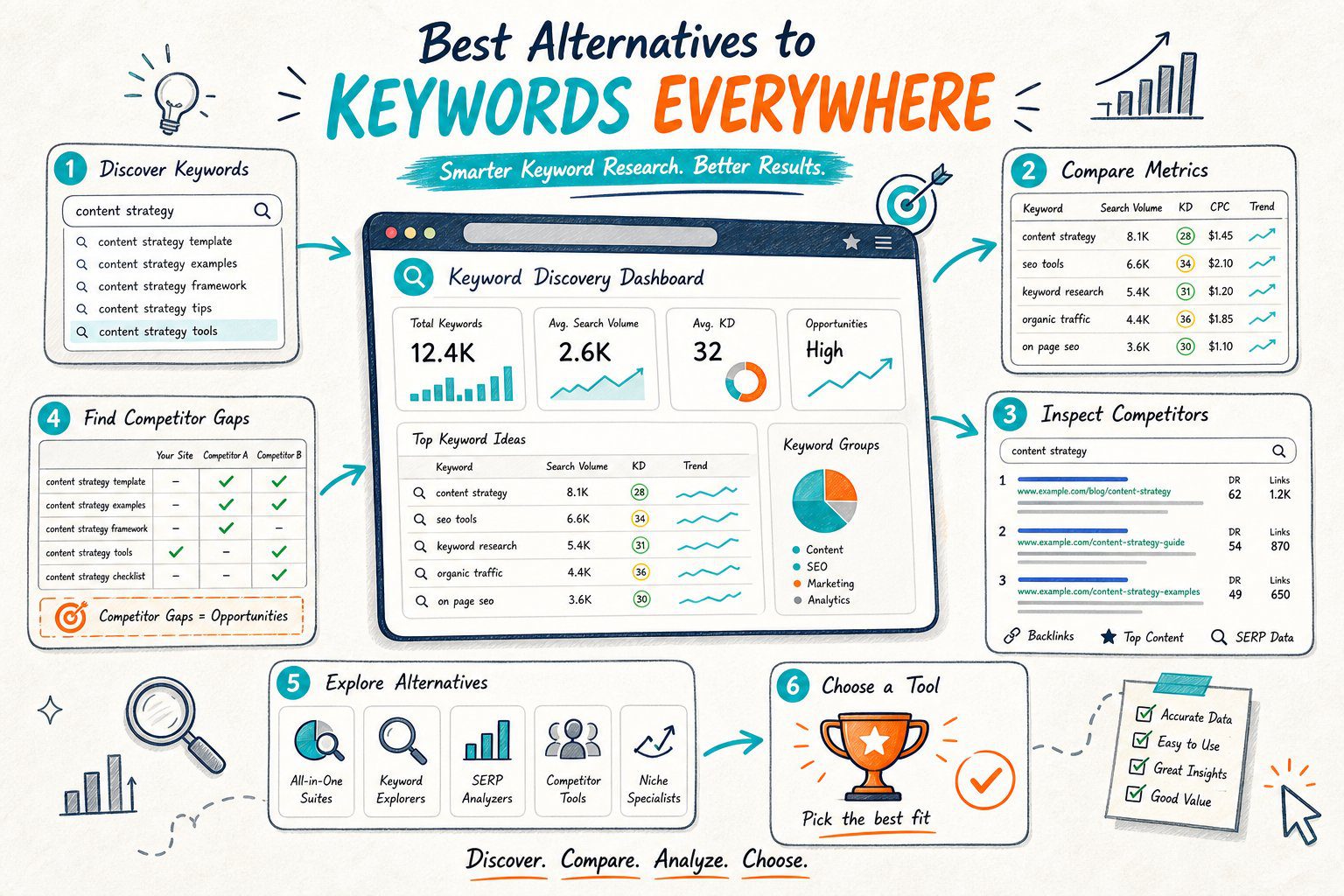
Your best tool stack depends on where you are in your workflow. First, nail down intent and grab your Search Console baseline.
Then look at the rendered page and see if it’s even indexable. Compare it to a real competitor, and finally, measure what happens.
Browser extensions are just diagnostic tools. They’re not magic Google ranking buttons, so treat them like a mechanic’s flashlight, not a crystal ball.
1) Check Page SEO
Best for: auditing the exact page open in your browser, including those pesky staging or client URLs behind a login.
Check Page SEO is perfect for the inspection stage. Unlike a keyword overlay, it lets you audit rendered headings, metadata, canonical tags, robots directives, links, alt text, schema, and the whole page structure, all without sending your URL off to a cloud crawler.
If it’s your site, you can see clicks, impressions, CTR, average position, and ranking queries right next to your audit. Handy for spotting pages with lots of impressions but a limp title or an intent mismatch.
You can also compare a competitor’s page to spot missing sections, headings, media, or entities.
Use its score to help you prioritize, not as a stand-in for Google’s ranking algorithm. Fix critical indexability fails and big intent gaps before you start fiddling with keyword density.
Grab the Check Page SEO Chrome extension for free structural audits. Premium stuff like reports, competitor comparisons, AI prompts, and local data use credits.
2) Google Search Console
Best for: getting your performance baseline before you mess with a page.
Google Search Console isn’t a Keywords Everywhere clone. Instead, it’s gold when you already own the page and need to know which queries, countries, devices, and dates actually matter.
Before editing, jot down clicks, impressions, CTR, average position, and the queries driving the URL. Hunt for high-impression queries with a sad CTR, queries stuck around positions 8 to 20, or spots where your title, H1, or body just doesn’t nail the intent.
Use the URL Inspection report to check your indexed canonical, crawl status, and see if Google picked a different canonical than you did.
Check again after your changes, but don’t judge a test on a handful of noisy days.
Of course, you can only use Search Console for sites you’ve verified. It won’t show you competitor data or tell you what’s actually rendered in the DOM.
3) Keyword Surfer
Best for: quick keyword volume and SERP context right inside Google search.
Keyword Surfer is a solid free swap if you mostly use Keywords Everywhere for search volume, CPC, related terms, and a peek at top-ranking page signals in the SERP.
It’s a browser-first tool, so you can keep your research flowing. Search your main query, check related terms, scan the top results, and see if the SERP favors guides, tools, categories, locals, or products.
Honestly, that’s usually more useful than chasing a single search volume number.
A browser keyword tools comparison calls Keyword Surfer a free Google SERP extension with volume, CPC, related ideas, and basic page metrics.
Its depth is limited, though. You’ll still need a page auditor for canonicals, headings, redirects, schema, and technical stuff.
Treat the displayed volume as a rough guide, especially for long-tail queries.
4) Detailed SEO Extension
Best for: fast technical reviews of public pages and SERP results.
Detailed SEO Extension is your friend when you need a quick breakdown of titles, metas, headings, canonicals, robots tags, links, images, and structured data.
Developers love it for pre-deployment checks because it surfaces common SEO goofs without dragging you into a full suite.
Use it during the rendered-page inspection stage. Open your target URL, make sure your H1 matches the title and page purpose, and double-check that canonicals and structured data are set up as you intended.
It’s great for catching duplicate H1s, accidental noindex tags, missing metadata, and weak internal anchors. Plus, it’s light enough for quick competitor reviews.
It won’t give you a full performance baseline or a detailed competitor gap analysis. Spot issues, then go validate them with Search Console and a real competitor comparison.
5) SEOquake
Best for: lightweight SERP reviews and a quick look at on-page metrics.
SEOquake lets you quickly scan a SERP and pull basic info: metadata, headings, links, and some diagnostics.
It’s handy when you’re sifting through several URLs to pick one competitor for a deeper dive.
After picking your target query, check the first page of results. Find pages that match your own page type, and don’t waste time comparing your local service page to a mega publisher unless that’s your real competition.
You can export or review SERP data, which is a lifesaver for client audits. It’s also useful for seeing if top pages are guides, commercial landers, comparison tables, or just loaded with internal links.
Just don’t get hypnotized by high authority metrics or long word counts. Those don’t explain why a page nails search intent.
Move from the overlay to the actual content, technical setup, and your own Search Console data.
6) Semrush SEOquake
Best for: Semrush users who want SERP and page checks in their browser.
Semrush SEOquake is just the same as SEOquake, so don’t expect a whole new tool. It’s extra handy if you’re already using Semrush for keyword research, rank tracking, audits, or backlinks.
Use it to scan the SERP before picking a competitor. You can quickly spot patterns among ranking URLs: title formats, heading structures, content lengths, and link counts.
If you’re already paying for Semrush, this keeps your workflow tidier with less tool-hopping.
The catch: the extension is useful on its own, but the deeper Semrush data and features depend on your subscription.
Don’t upgrade just for the overlay if your real headache is diagnosing live templates, logged-in pages, or crawl directives that need a browser-based check.
7) Mangools SEO Extension
Best for: approachable SERP analysis and getting a sense of authority context.
Mangools SEO Extension is perfect when you want clean competitor snapshots and don’t want to wrestle with a heavy enterprise tool.
You can check out domain and page authority-style metrics, backlink context, and see visible SERP patterns while researching a query.
Use it when you’re narrowing down a big SERP to one or two comparable pages. Pick those that match your intent, business model, geography, or content type.
Then, dig into those pages instead of just copying every heading from whoever’s on top.
Remember, authority metrics are for comparison, not ranking factors. A strong domain might rank thanks to links, brand searches, topical depth, or just a genuinely useful page.
Don’t treat a higher authority score as a cue to stuff in more keywords.
The paid tier gets you deeper datasets and history, but honestly, it’s best if you want a simple interface for regular competitor research, not as a replacement for technical audits or Search Console.
8) Keyword Insights
Best for: clustering big keyword lists and planning site architecture.
Keyword Insights tackles a different job than Keywords Everywhere. Instead of showing you metrics as you search, it helps you wrangle big keyword sets into clusters, guess intent, and create content briefs based on what’s actually in the SERP.
Use it before making new pages or when your site’s got overlapping articles that might cannibalize each other.
Group similar queries into one page target, define supporting sections, and map internal links before your writers crank out duplicate content.
This is a lifesaver for content leads managing topic clusters. Turn a messy export of long-tail keywords into a clear plan for hub pages, supporting articles, comparisons, and landing pages.
A Keyword Insights review highlights its clustering, intent analysis, content briefs, and SERP competition focus.
Its weak spot is live validation. A perfect brief won’t guarantee your published page has the right canonical, rendered copy, schema, or indexability.
Always follow up with a browser audit and Search Console after you hit publish.
9) Search Atlas
Best for: teams that want keyword research, content planning, technical audits, and rank tracking all in one place.
Search Atlas is more of a full-blown SEO platform than a simple Chrome extension.
It’s a good match for agencies or in-house teams who want keyword discovery, content planning, competitor research, technical audits, and reporting in a single workflow.
Use it for planning and monitoring. Research keyword opportunities, spot gaps at the domain level, plan topic clusters, and track rankings across a big site.
This is way more helpful than a basic SERP overlay if you’re juggling lots of pages or clients.
The flip side is cost and complexity. Plans start at $99 a month, and fancy features like automation and AI workflows might need more credits and setup.
If you just need to diagnose one URL, start with the live page, Search Console, and a competitor. Bring in a platform like Search Atlas when you’re managing a whole portfolio.
10) Screaming Frog SEO Spider
Best for: crawling whole sites, catching template bugs, redirect chains, and internal-link audits.
Screaming Frog SEO Spider is a classic. It’s unbeatable when your page-level issue smells like a sitewide problem.
You can crawl titles, metas, canonicals, status codes, internal links, pagination, hreflang, structured data, and sniff out duplicate content at scale.
Use it after you spot a live-page issue that could be a template bug. For example, if one product page has a self-referencing canonical error, crawl the whole product folder before assuming it’s just a one-off.
Its JavaScript rendering helps you check client-rendered sites, but to be fair, a local crawler won’t always mimic logged-in sessions, personalization, consent banners, or staging quirks the same way your browser does.
The free version has crawl limits, and bigger sites need a paid license. Always pair it with a live browser audit to see what users and bots actually get.
11) How To Choose A Keywords Everywhere Alternative
Start With The Workflow, Not Just The Numbers
Pick your tool based on the decision you need to make. If you want query ideas and rough demand, grab a SERP overlay.
If you need to explain why a live URL is underperforming, you’re better off with a page auditor and Search Console.
Your workflow should move from query intent, to page inspection, to competitor evidence, to implementation, and finally, to measurement.
Buying another metric overlay won’t fix a canonical error, a thin commercial page, or a title that misses the mark.
Separate Live-Page Checks From Sitewide Crawls
Use browser tools for the page you’re staring at, especially if it’s on staging or behind a login.
Switch to crawlers for repeated template errors, duplicate metas, redirect chains, orphaned pages, and internal-link patterns.
You really need both. Sometimes a crawl says everything’s fine, but the browser shows a blocked script, hidden H1, client-rendered content issue, or a consent popup messing with indexing.
Check Data Sources, Limits, And Costs
Ask where your data comes from and how fresh it is. Keyword volume, CPC, difficulty, traffic estimates, authority scores, and rank positions are all modeled differently and update on their own schedules.
Check free limits, export options, country coverage, credit rules, and paywalls before you make a tool part of your routine.
A cheap extension can get pricey if every comparison or AI action burns credits.
Prioritize By Impact, Risk, And Testability
Tackle indexability, canonicals, redirects, and major intent fails first. Then tweak titles, headings, content gaps, links, schema, and conversion stuff based on what’s likely to move the needle.
Title updates are easy to roll back. URL migrations, canonical changes, or template rewrites are less suitable.
Write down your hypothesis, deployment date, target queries, and how long you’ll measure results before you make big changes.
A Practical Page-Level SEO Validation Workflow
Establish Your Query And Search Console Baseline
Pick your main query and a handful of close variants. Log the page’s clicks, impressions, CTR, average position, query mix, device split, and country split in Search Console.
Check if the current title, H1, intro, and page type actually match the SERP.
If users are searching for a comparison, a generic service page probably won’t cut it, even if you’ve stuffed in the right keywords.
Audit The Rendered URL And Indexability Signals
Pop open the exact URL you want to dig into. Start by checking the HTTP status and see if there’s a redirect path.
Look for a self-referencing canonical, peek at meta robots directives, and scan the rendered title, H1, and other headings. Don’t forget to check internal links, schema, and whether images and visible text show up as they should.
While you’re at it, eyeball Core Web Vitals and mobile usability. Trust signals matter too, so see if there’s clear author info, contact details, reviews, or business policies; basically, anything that makes the page feel legit.
To be fair, even the best keyword research won’t save a page that isn’t indexable or can’t load its main content without hiccups.
Compare One Relevant Competitor Page
Pick out a competitor that’s actually going after the same audience and intent as your page. Lay their page next to yours and look at headings, supporting sections, entities, media, and internal links.
Check how fresh their content is, what calls to action they use, and how deep they go on the topic. Don’t get caught up in copying their word count or stuffing in keywords just because they did.
Instead, use what you find to spark a testable idea. Perhaps you need a pricing section, a better answer to a common objection, stronger local proof, or a clearer use case right at the top. Try it and see what happens.
Measure Equivalent Pre-And Post-Change Periods
Hang tight after making changes; give your page time to get recrawled and rack up a decent number of impressions. When you’re ready to compare, line up equal time periods and, if you can swing it, match up the same days of the week.
This is especially important if your page gets more love on certain weekdays or during specific seasons. Now, peek at the numbers: clicks, impressions, CTR, position, query mix, conversions, and even crawl behavior.
If things start slipping, don’t panic just yet. Double-check your deployment, canonical tags, how the page actually looks, and any SERP shake-ups before blaming your shiny new content.



