
An effective on-page SEO audit checklist helps you fix the stuff that actually moves the needle for relevance, search visibility, and organic traffic. Start with intent, indexation, and page quality before sweating the small stuff like minor tag tweaks or chasing perfect “SEO scores.”
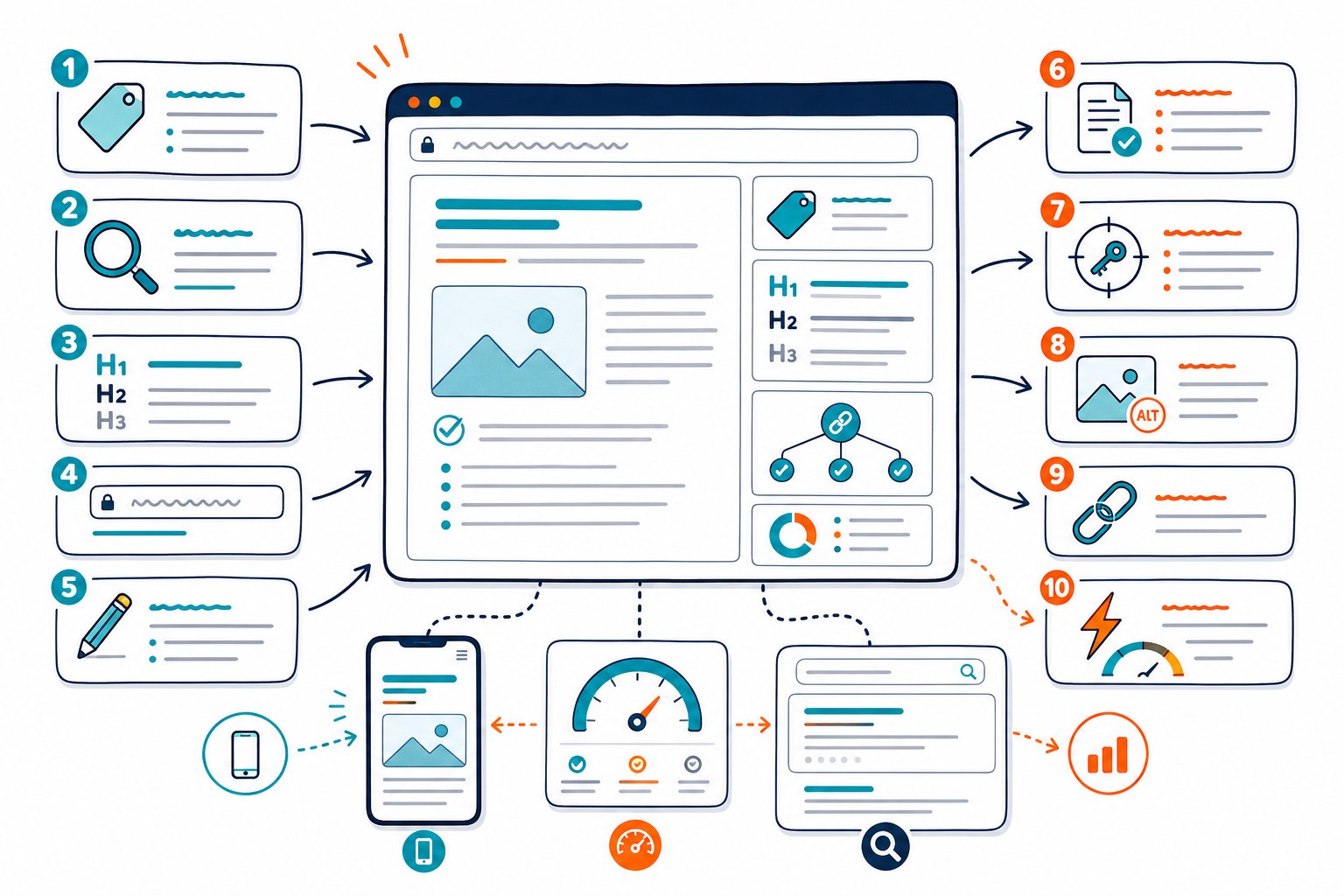
You can’t control every ranking factor, backlink, or sneaky competitor move. But you can make sure your page answers the right question, loads fast, gets indexed, and gives visitors a reason to stick around.
Use this checklist to tackle fixes in order of impact, then watch what happens.
Audit the Page’s Relevance, Structure, and Content
First things first: does your page actually solve a real search intent, and is that obvious to visitors? Zoom in on what’s visible, the HTML signals, and what’s missing compared to the pages already hogging the top spots.
Define the Primary Keyword and Search Intent
Pick one main keyword that matches what your page is really about. Use keyword research to dig up supporting terms, questions, and related topics.
Before you mess with your copy, check the live search results. If Google’s showing guides or product pages, your page should fit that mold. Don’t force a keyword into the wrong format.
Verify Title Tags, Meta Descriptions, and CTR Alignment
Write a title tag that actually describes the page, with your main keyword near the front if you can. Skip repeating the same phrase across every title. It’s a snooze for users and search engines.
Your meta description should give folks a reason to click. It won’t boost rankings directly, but a solid meta description can bump up your click-through rate when you do show up.
Review the H1, H2, H3, and Header Tag Hierarchy
Use one clear H1 to set the topic. H2s and H3s should break things into helpful chunks, not just stuff in keywords.
No need to use every header level down to H6. Just keep the order logical, and make sure there’s useful text under each heading.
Check URL Structure and Canonical Signals
Short, friendly URLs are easier to read, share, and keep tidy. Avoid URLs packed with dates, IDs, or endless folders.
Double-check that your canonical tag points to the right page. Messed up canonicals can cause duplicate content headaches, especially after site changes.
Assess Keyword Placement Without Keyword Stuffing
Put your main keyword where it helps: the title, H1, intro, relevant headers, image alt text when appropriate, and the body. Always write for humans first.
If your copy starts sounding robotic, you’ve gone too far. Tools like Check Page SEO can spot overused keywords, which is way more helpful than just counting them in menus or footers.
Evaluate Content Quality, Originality, and Thin Content
Ask yourself: does this page answer the question better than a short definition or a generic list? Add something original, such as examples, screenshots, real process steps, expert takes or side-by-side comparisons.
Thin content isn’t just about word count. Even a long page can be “thin” if it dodges the real questions people have.
Find Missing Topics With Competitor and Semantic Analysis
Stack your page against the top-ranking competition. Hunt for missing ideas, headings, examples, images, or questions, but don’t just copy-paste what they did.
Tools like Ahrefs help with research, but sometimes a good old side-by-side look is faster. Semantic analysis should help you cover the topic more fully, not just make you cram in awkward terms.
Improve Internal Linking, Anchor Text, and Site Architecture
Add internal links from strong, relevant pages to the one you want to boost. Use anchor text that actually tells people (and Google) what they’ll find.
Watch out for orphaned pages with barely any links. A solid site structure makes it easier for people and search engines to find your good stuff.
Review External Linking and Broken Links
Check that your external links are accurate, relevant, and point to quality destinations. A good external link can back up your claims or send readers to official info.
Fix broken links and redirect chains, and don’t forget to check your own internal links. Broken links are a waste of crawl budget and annoy visitors.
Optimize Images, Videos, File Names, and Alt Text
Give your images descriptive file names and alt text that actually say what’s in the picture. Don’t just repeat a keyword for the heck of it.
Compress big images, and use WebP if your setup allows. For videos, add nearby text that explains what it’s about and the main takeaway, just in case the video doesn’t load.
Validate Structured Data and Rich Result Eligibility
Make sure your schema markup matches what’s actually on the page. Article schema belongs on real editorial content, product schema on actual product pages.
Structured data doesn’t guarantee fancy search results, but it helps. Keep it accurate, don’t mark up stuff that’s hidden, and always test your changes.
Confirm Crawlability, Experience, and Measurable Impact
Even the best content flops if Google can’t crawl, render, or index it. Technical SEO checks should tackle blockers first, then site speed, mobile usability, and what your own analytics are telling you.
Confirm Indexation, Robots Directives, and Crawl Errors
Check that your page returns a 200 status, isn’t blocked by robots.txt, and isn’t set to noindex by accident. Use Google Search Console to confirm indexation, not just a site: search.
Prioritize fixing crawl errors on important pages. It’s way more urgent to fix a broken product or service page than some dusty old blog post.
Check XML Sitemaps and Sitemap Submission
Your XML sitemap should only list canonical, indexable URLs. Kick out redirects, noindex pages, blocked URLs, and anything throwing errors.
After big site changes, resubmit your sitemap in Google Search Console. It’s not a magic wand, but it helps Google see your preferred URLs.
Audit HTTPS, Redirects, and Server Response Time
Make sure every important page loads over HTTPS, and that old HTTP URLs redirect smoothly. Stick to one-hop 301 redirects for permanent moves.
If your site feels slow, check server response time before blaming bloated pages. Sometimes it’s just sluggish hosting or bad caching.
Test JavaScript SEO and Rendered Page Content
What you see in the browser isn’t always what Google sees. If your H1, copy, links, or structured data depend on JavaScript, double-check that Google can actually render the final result.
Be extra careful after switching frameworks like React, Next.js, or Vue. JavaScript SEO issues can hide in plain sight.
Measure Page Speed and Core Web Vitals
Test how fast your page loads on both mobile and desktop. Focus on Largest Contentful Paint, Interaction to Next Paint, and Cumulative Layout Shift. Don’t chase a perfect score just for bragging rights.
FID is out, INP is in for Core Web Vitals. Use real-world data when you can, and tools like GTmetrix to spot slow images, scripts, or anything that’s dragging you down.
Review Mobile Responsiveness and Accessibility
Don’t just resize your browser. Test the page on an actual phone. Look for awkward tap targets, tiny fonts, sticky elements, pop-ups, and make sure the main content stays visible.
Accessibility isn’t just for compliance. Clear labels, good contrast, descriptive links, and logical headings make life better for everyone, including search engines.
Use Google Search Console and Analytics to Set Priorities
Google Search Console can show you pages with high impressions but low clicks, dropping traffic, or rankings stuck just off page one. Google Analytics helps you spot engagement issues, bounce rates, and conversion drop-offs.
Don’t obsess over one metric. Sometimes a low-CTR page just needs a better title, or a high-traffic page with no conversions needs a stronger offer or clearer intent.
Turn Findings Into Ranked Fixes and Recheck Performance
First things first: rank each fix by impact, effort, and how sure you are it’ll work. Tackle big stuff like indexation blockers, wrong canonicals, busted templates, and glaring intent gaps before you fuss over tiny wording tweaks.
Jot down your starting numbers, including the date, pages, queries, clicks, impressions, CTR, conversions and current search positions. After Google’s had a chance to recrawl your page (and, let’s be real, after you’ve given it a little time), check your stats again and compare similar days.
If you want to move faster, try the Check Page SEO Chrome extension. It lets you peek at the live page before you hit publish or roll out changes. Handy, right?



