
Text-to-HTML ratio won’t make or break your Google rankings. John Mueller from Google flat-out said it “makes no sense at all for SEO,” as covered in this Google text-to-HTML ratio discussion.
You don’t need to pad your pages with fluff, shove main content into a footer, or twist your templates just to chase some magic percentage.
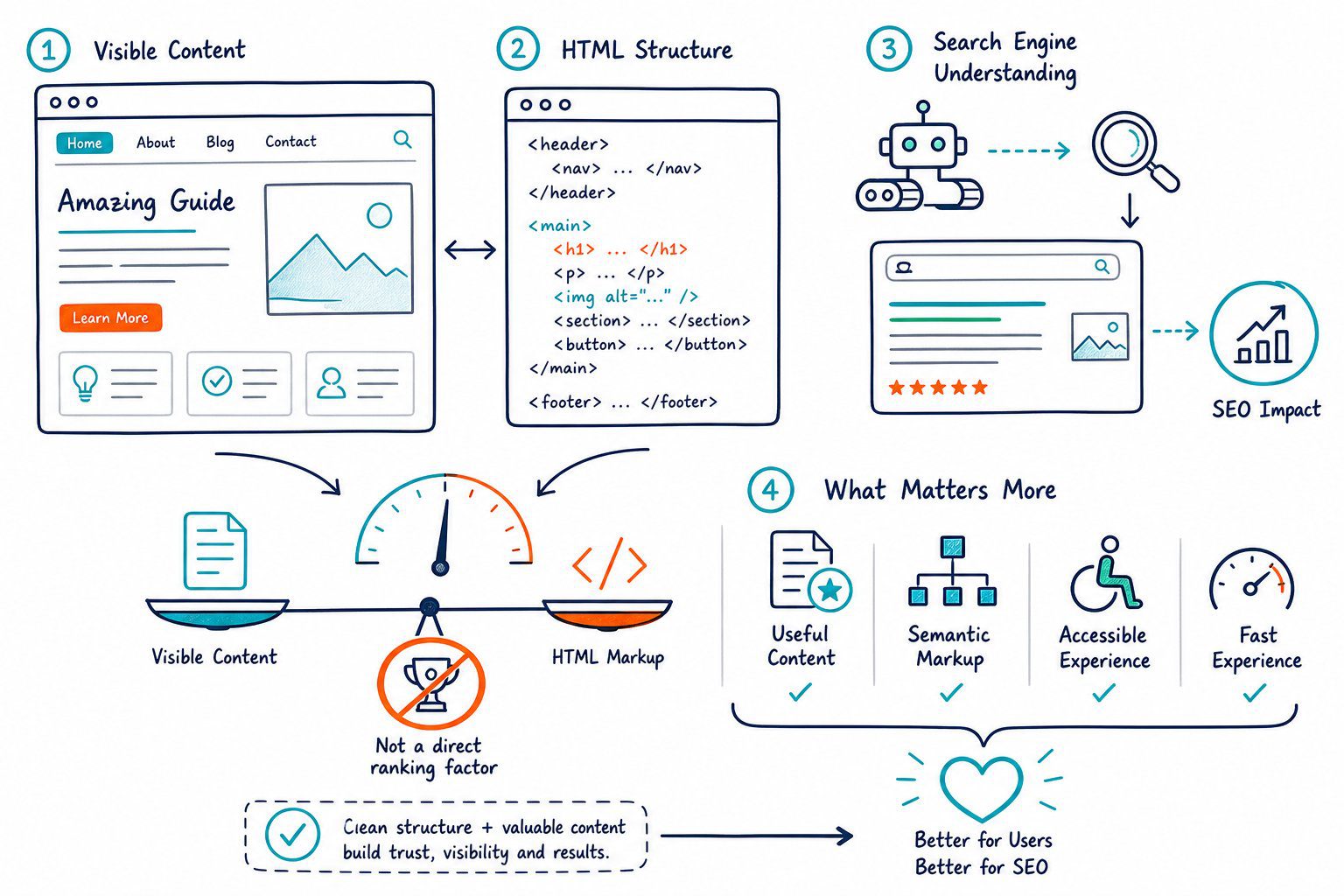
To be fair, the metric can still help sniff out problems. If your ratio is weirdly low, it might mean there’s barely any real text, a jungle of markup, or a mess of scripts clogging the page.
Your real job? Find out what’s actually wrong, then fix what matters: content quality, speed, accessibility, and how the site feels for real people.
What Does Text-to-HTML Ratio Actually Measure?
It’s just a clue about how much readable text you’ve got compared to all the code behind the scenes. It cannot tell you if your page is helpful, if it nails search intent, or if it deserves a top spot in Google.
How the Ratio Gets Calculated (and Why It’s Messy)
You get the ratio by dividing the amount of visible text by the total HTML code, then multiplying by 100. For example, 1,000 characters of text and 5,000 characters of code gives you 20 percent.
But here’s the catch: different tools count things differently. Some only look at what’s actually visible, while others count every little bit of code, comments, scripts, and even hidden stuff.
Check out this text-to-HTML ratio calculation example if you want to see how the same page can get totally different numbers depending on the tool.
Why There’s No “Perfect” Ratio
You’ll see blog posts or SEO tools claiming you need a ratio between 25 and 70 percent. Honestly, those numbers are made up. Google doesn’t care, and it really depends on what your page is for.
Some pages, such as calculators, login screens or product landing pages, can be super useful with barely any text. On the flip side, a long page stuffed with keywords can still flop if it’s repetitive or misses the point.
What a Low Ratio Means (and When to Worry)
If you’re working on an editorial page, a low ratio might be a red flag. Maybe your main content is hiding under piles of navigation and boilerplate.
Ask yourself: does the page actually answer the user’s question? Not, “Can I bump up this percentage?”
For landing pages, make sure your copy spells out the offer, who it’s for, why it matters, and what to do next. If you’re building tools or apps, focus on whether it’s easy to use and loads fast.
A low ratio is only worth worrying about if it helps you spot something real that needs fixing.
Diagnosing Problems and Deciding What to Fix
Treat text-to-HTML ratio like a smoke alarm, not a house fire. If it goes off, poke around and see what’s up.
The big questions: Can people find what they need quickly? Is the code slowing things down? Is there some technical mess blocking crawlers or users?
Thin Content or Code Bloat? Here’s How to Tell
Start by looking at the page in your browser, not just the code. If there’s barely any useful text, beef it up with real answers, examples, comparisons, and clear headings.
If your content’s in good shape, hunt for bloated code instead. Watch out for endless <div> nests, duplicate widgets, leftover scripts, or pointless inline styles.
Whatever you do, don’t just slap in generic paragraphs to fix a number. It’s a waste of everyone’s time.
Builders, Frameworks, and Script Overload
Platforms like WordPress, Wix, and other site builders can crank out a ton of extra markup, especially if you pile on widgets. JavaScript frameworks sometimes create huge DOMs or make your main content slow to appear.
Don’t forget about tag managers, chat boxes, heatmaps, ads, social embeds, and old plugins. Some sites are still lugging around Flash files from the Stone Age.
Use the W3 HTML Validator to catch broken markup, but focus on errors that actually mess with how your page looks, works, or gets crawled.
Real Fixes That Make a Difference
Minify your HTML, CSS, and JavaScript if it actually shrinks the file or speeds things up. Cut out unused CSS, delay non-critical scripts, squish your images, and limit third-party stuff if it’s slowing the show.
Always check load speed before and after you make changes. Faster pages make users happy, especially on phones.
Just remember: smaller HTML files don’t magically boost rankings. Only real improvements to speed or usability move the needle.
Validate Results With Technical and Search Data
Fire up your favorite SEO tools and take a peek at indexability, canonical tags, meta robots, and all those nitty-gritty details. Don’t forget to check out rendered headings, links, and even the page weight.
With Check Page SEO, you can actually see the live page in action. It helps you spot the difference between what your users see and all the template fluff hiding in the background.
If you notice a low content-to-code ratio, figure out if it’s because your page is a bit too thin or just weighed down by technical junk. Sometimes it’s both, and that’s just the way the cookie crumbles.
Now, head over to Google Search Console. Keep an eye on impressions, clicks, CTR, average position, and which queries are driving traffic.
To be fair, if your site’s technical health looks better but your search numbers aren’t budging, don’t panic. Shift your attention to intent match, how helpful your content actually is, your internal links, and whether your page feels good to use.
At the end of the day, it’s all about making your site better for real people, not just bots.



